May 2026 Product Updates
By George · 4th May, 2026

Table of Contents
Bringing More Clarity and Control to Your Daily Operations
As your business grows, so do the moving parts — orders, inventory, products, and customer requests all happening at once.
Small gaps in visibility or flexibility can quickly turn into extra work, missed details, or slower decisions.
This month’s updates focus on helping you stay in control, with clearer workflows, better flexibility, and more visibility across your day-to-day operations.
1. Move Inventory with Greater Accuracy
When inventory moves between locations, small errors can lead to bigger issues later.
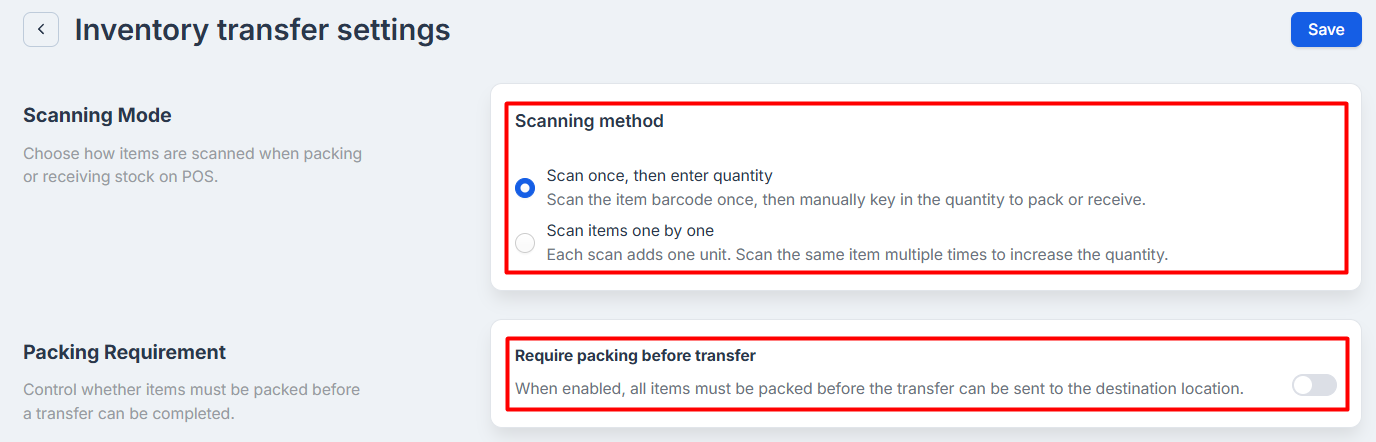
To help reduce this, you can now choose to require packing before an inventory transfer begins, ensuring items are properly prepared before being moved.
During inventory transfer (packing and receiving) and purchase order receiving, you also have more flexibility in how items are scanned.
You can choose between:
- Scan once, then enter quantity — faster handling for multiple quantities of the same product
- Scan items one by one — more precise verification during receiving or transfer
This supports both stock transfers between locations and supplier receiving, making inventory handling more structured and flexible.
2. Handle Returns and Exchanges with More Flexibility
Returns are part of the experience — but they shouldn’t limit how you serve customers.
You can now apply discounts directly to exchanged items, giving you more flexibility during product swaps.
The return summary page also provides a clearer breakdown of totals, including discounts and taxes, making every adjustment easier to understand.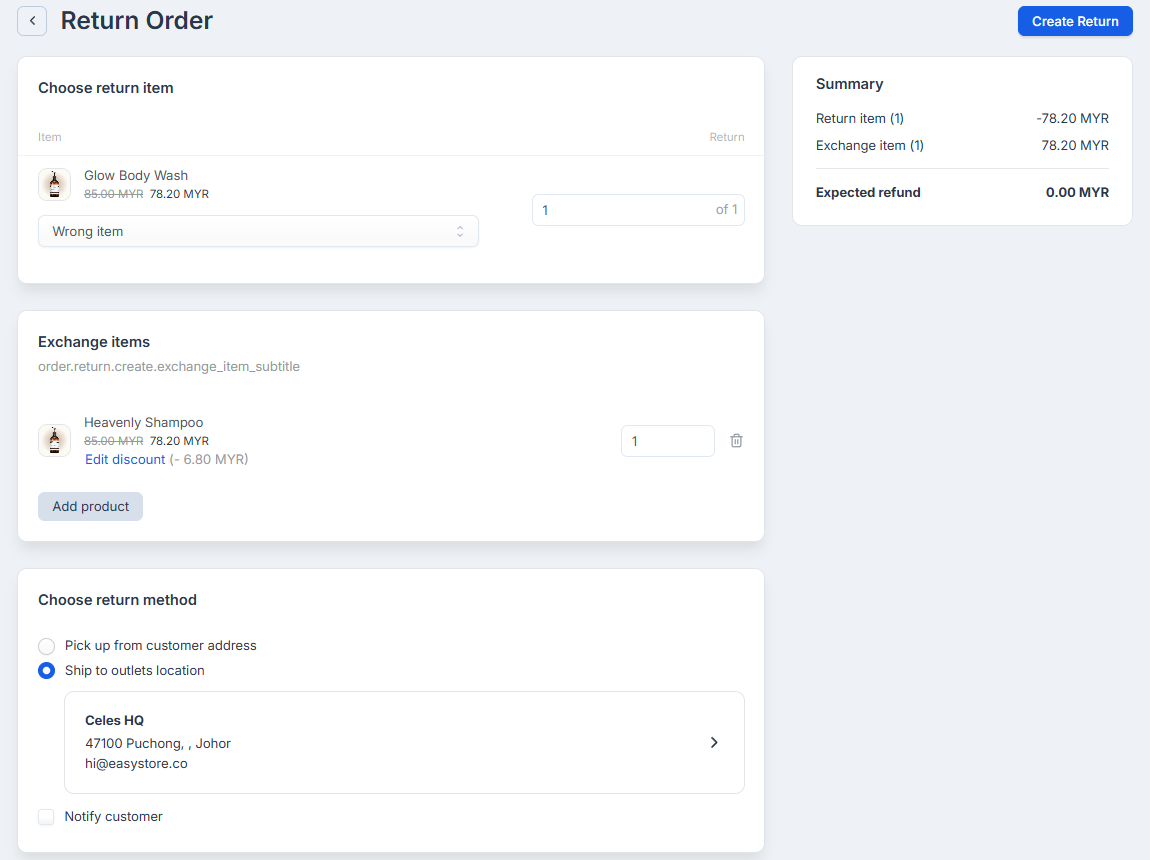
3. Capture Custom Product Details Across Channels
Selling personalised or customizable products often requires capturing extra details.
You can now record product properties such as engraving text, gift options, or booking selections not only online, but also in POS and manual orders.
This ensures a consistent workflow across all channels.
No matter where the order is created, the same product details can be captured and processed.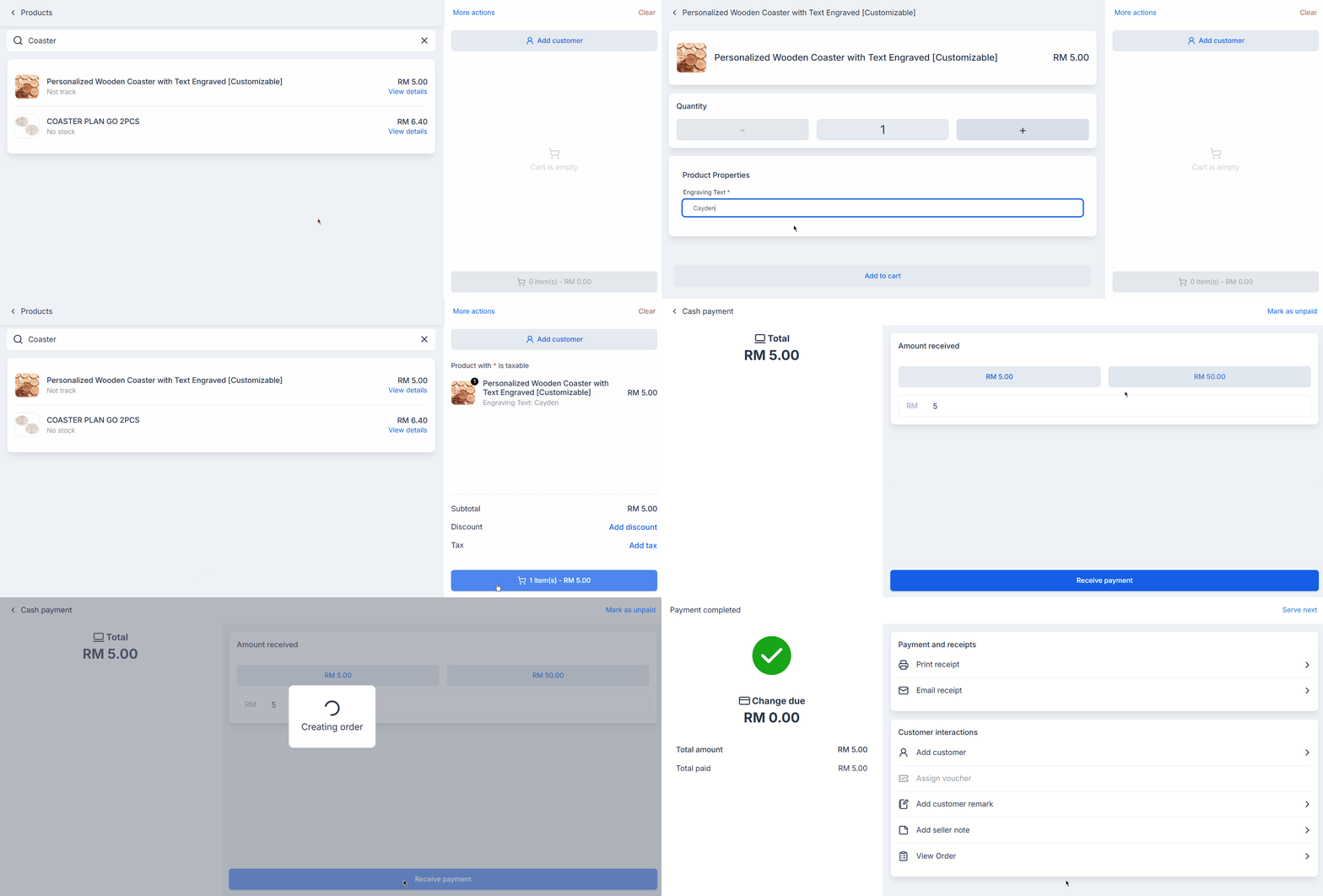
4. Make Checkout Address Entry Smarter
Entering address details during checkout is now faster and more accurate.
When buyers enter their postcode, the system will automatically fill in the state — and city when possible — reducing manual input and helping avoid errors.
What buyers will experience
- Entering a postcode automatically fills in the matching state
- The state is locked to prevent accidental changes
- If the postcode matches a single city, it will be auto-filled and locked as well
- If a postcode covers multiple cities (e.g. Taiwan), buyers can simply select their city from a list
Supported countries: Malaysia & Taiwan
This helps create a smoother checkout experience while reducing incorrect address submissions.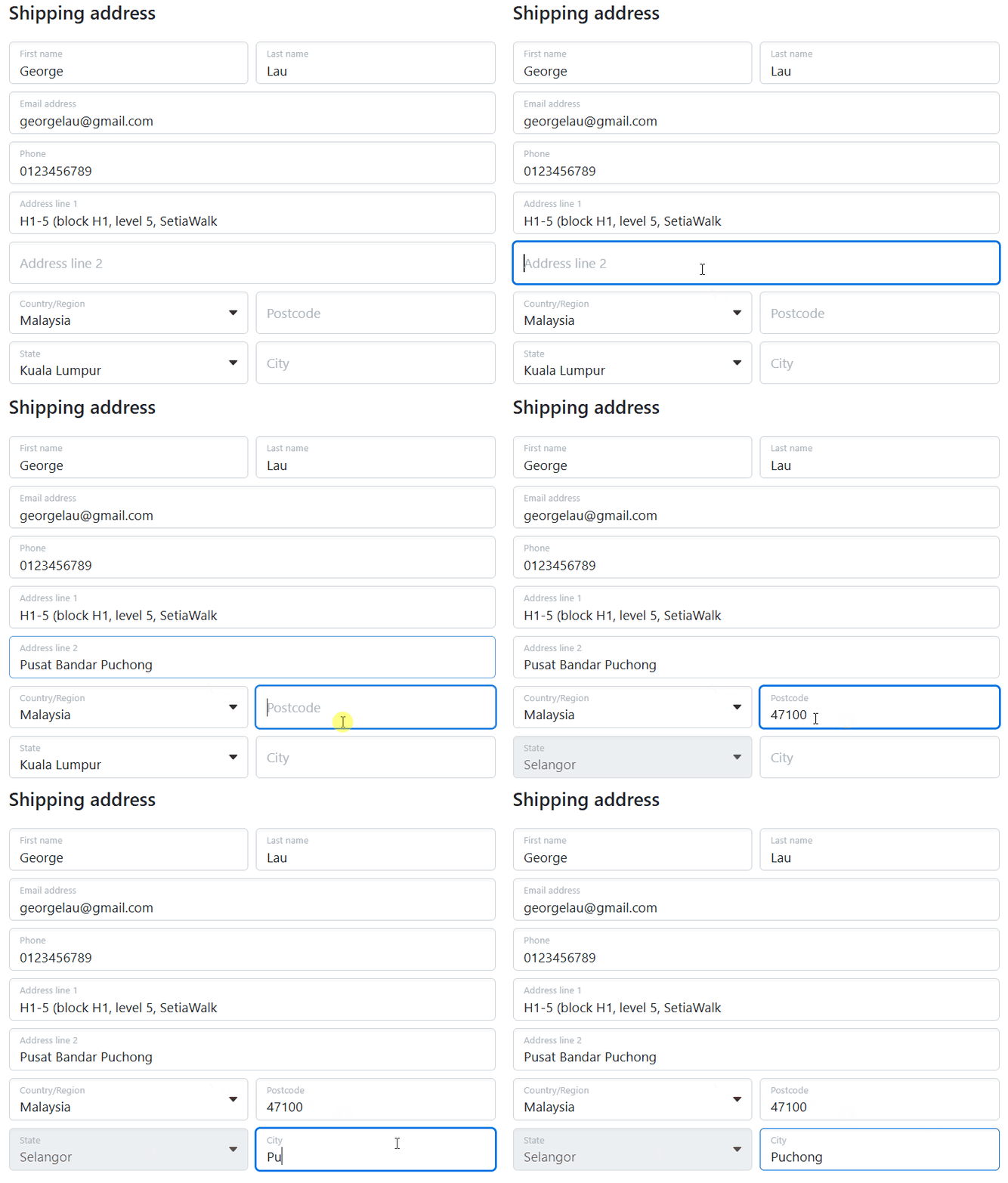
5. Set Pickup Times That Fit Your Schedule
Managing pickup timing can be challenging when availability varies.
You can now control how far in advance customers can select their pickup date and time, whether in days or hours.
You also have the option to leave it open for full flexibility.
This helps guide customers to choose suitable pickup slots, while keeping your operations organized.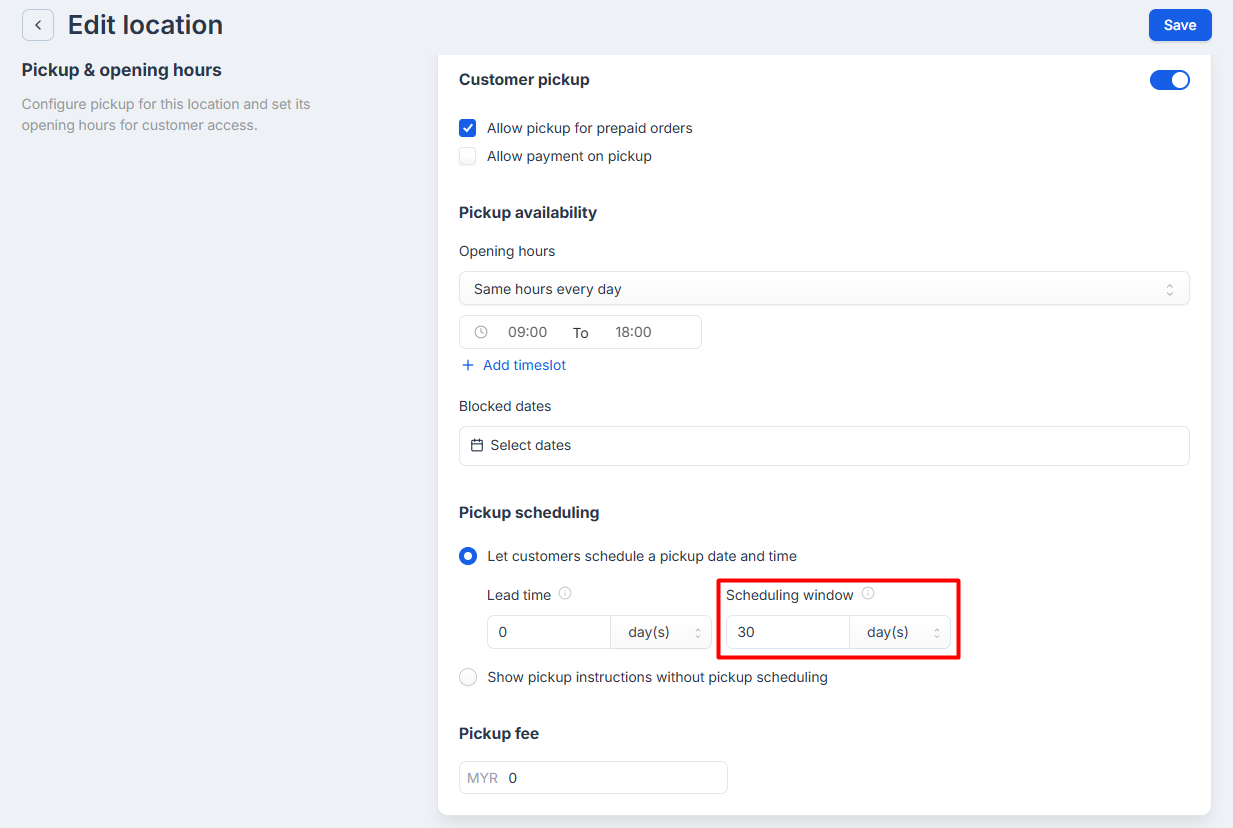
6. Manage Order Tags in Bulk
Managing order tags is now faster and more efficient.
You can now update tags for multiple orders at once directly from the orders listing page, instead of opening each order individually.
This makes it easier to organise and categorise orders in bulk, especially when handling higher order volumes or batch updates.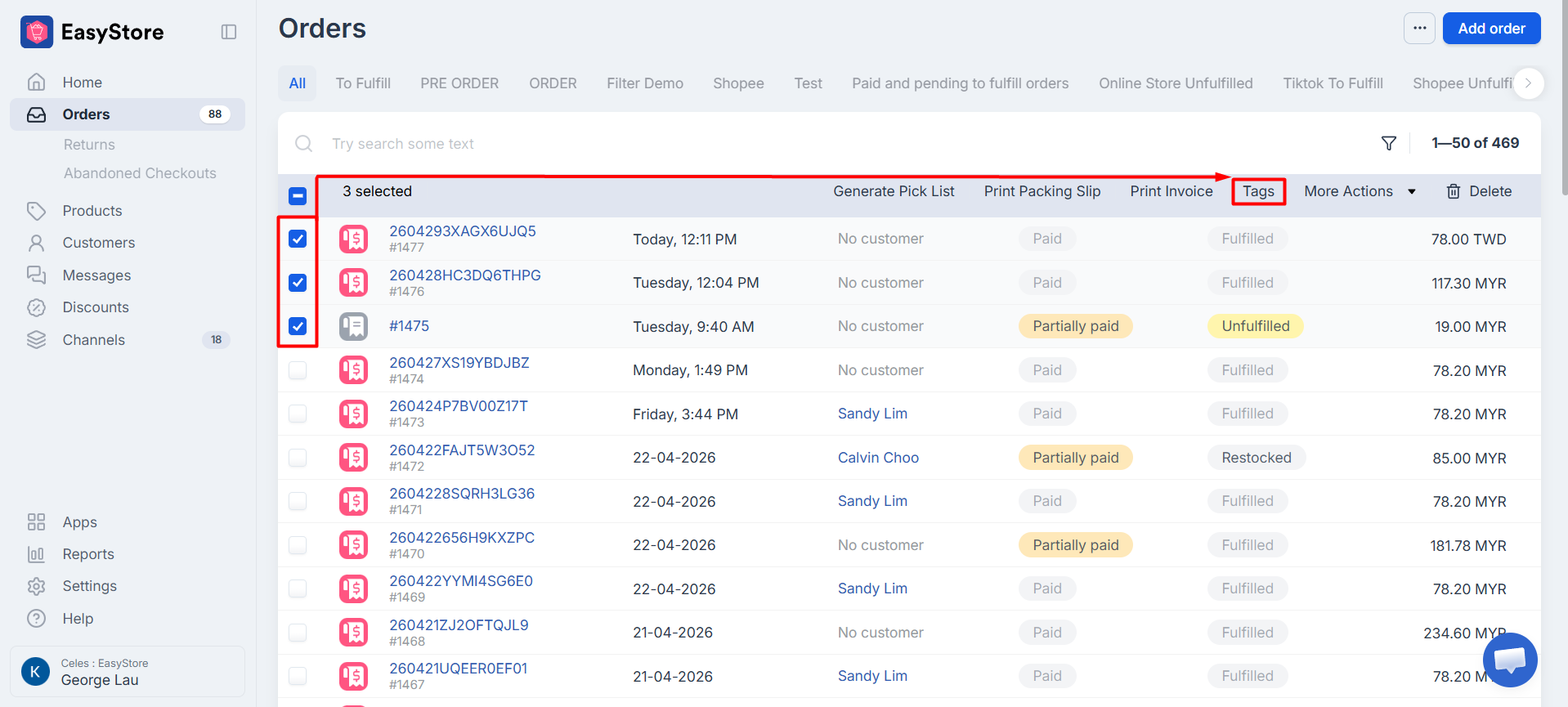
7. See a Clearer Breakdown of Your Sales
Sales figures alone don’t always show the full picture.
You can now view a detailed breakdown of your sales performance, including discounts, returns, shipping, transaction charges, tax, and rounding.
This helps you understand what truly contributes to your final numbers, making reporting more transparent and meaningful.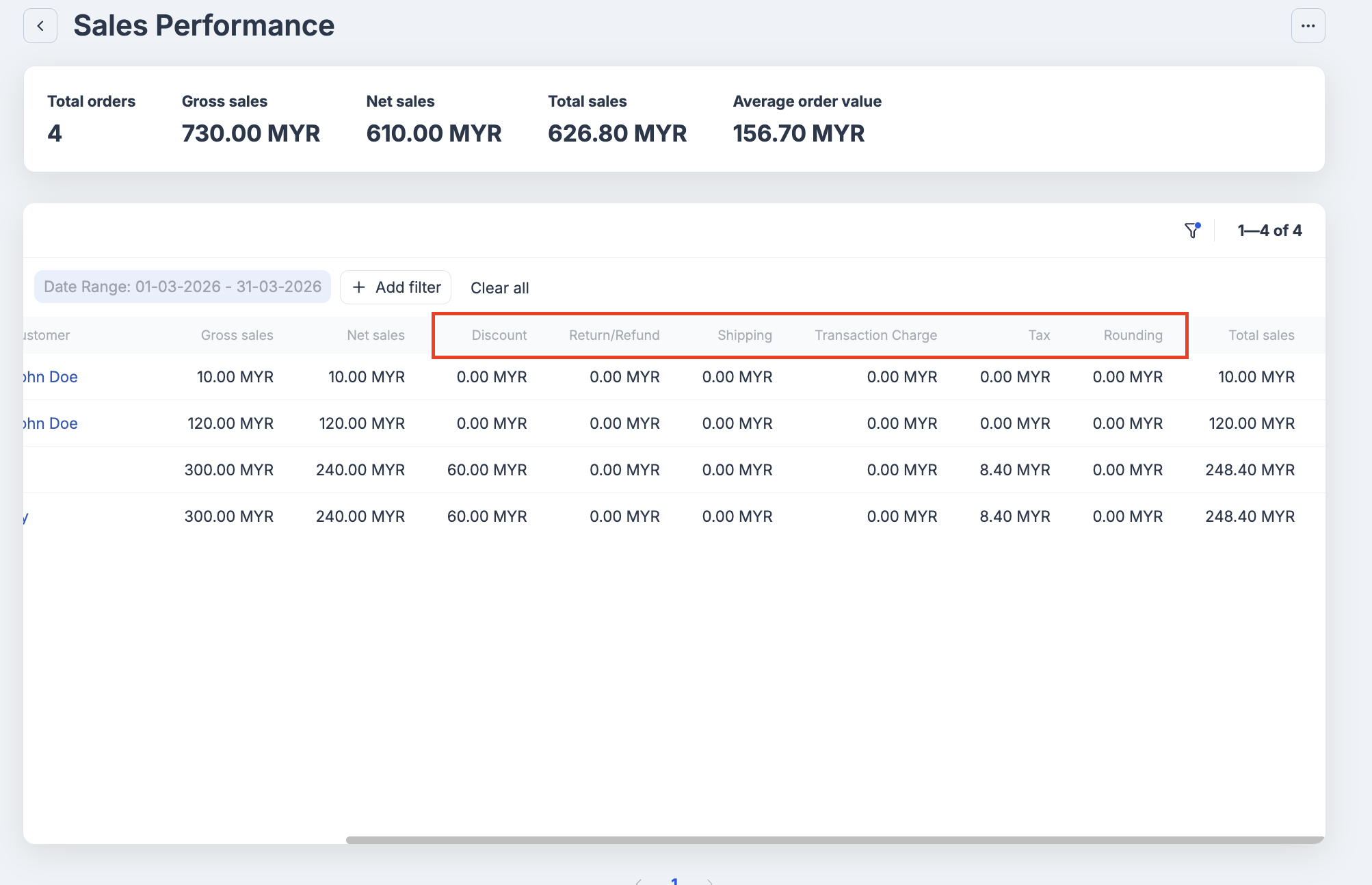
8. Get a Complete View of Product Performance
Not every product fits neatly into a collection, but every product still matters.
You can now filter products with or without collections, or view them together in one report.
This gives you a more complete view of product performance, ensuring no product is left out of analysis.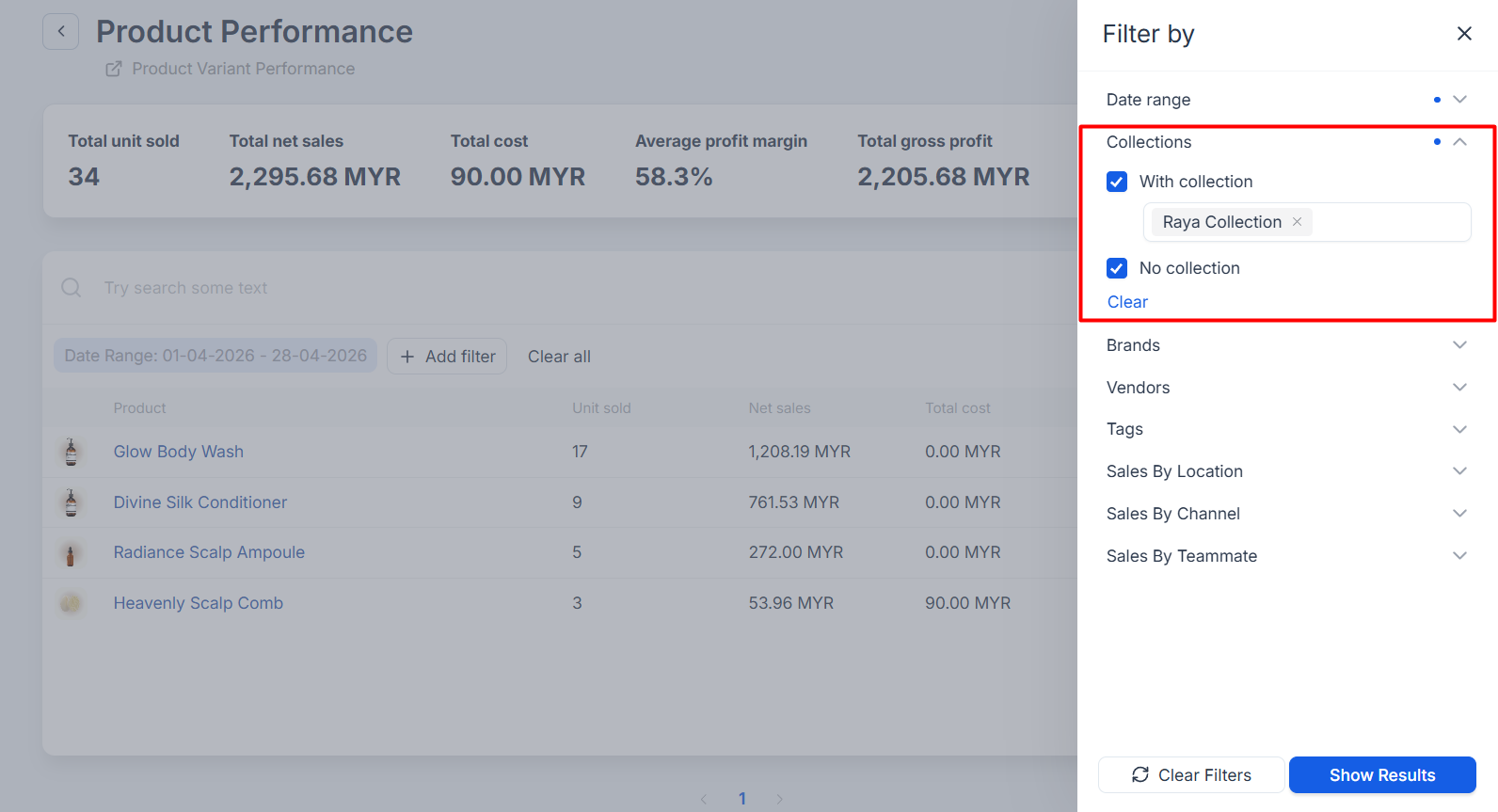
9. See a Clearer Breakdown of Your Orders
As order volume increases, keeping track of details becomes more important.
Your order export now includes clearer fields such as:
- Points Used
- Shipping Tax
- Order Discount
- Previously: Order Level Discount + Point Discount
- Now: Order Discount only
- Point Discount
- Order Status
- Open
- Cancelled
With a more structured breakdown, reporting and reconciliation become easier and more efficient.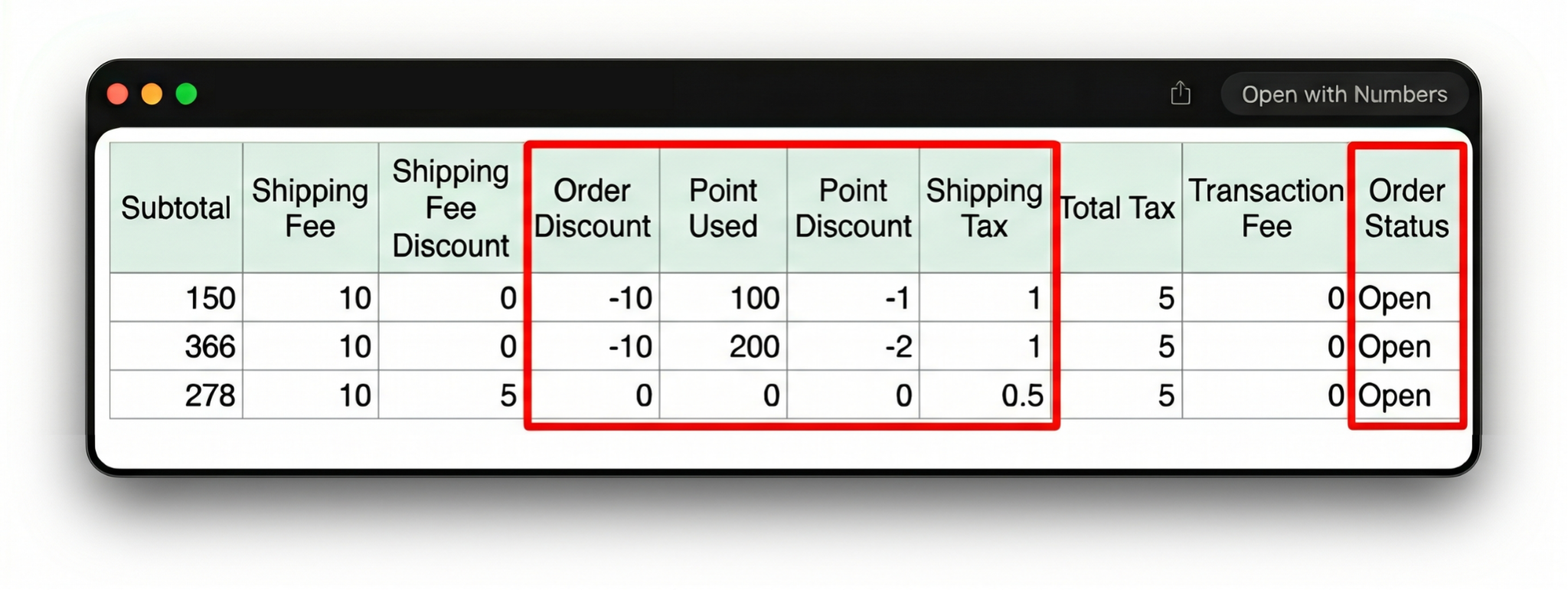
Make Customers Love Buying from You
EasyStore empower brands to prioritize customers and enhance their experience, creating a unified customer experience (UCX) that customers love.
Over 50,000 brands have grown their businesses by embracing unified customer experiences (UCX) strategy through EasyStore across multiple sales channels - online store, retail outlets, marketplaces, and social media, ensuring consistency in product and service offerings for a seamless shopping journey.

Master Customer Experience in 2026 with our 3 Step Checklist
Customer expectations are on the rise in 2026. Use this checklist to learn 3 essential steps for improving customer interactions and staying ahead.
Download Now