April 2026 Product Updates
By George · 6th April, 2026
Table of Contents
Keeping Customers Engaged After the Festive Rush
After CNY and Raya, customers may slow down or miss updates, links, and rewards — leaving opportunities untapped.
This month’s updates help businesses stay connected: guiding customers to the right links, making order messages clear, keeping vouchers visible, and ensuring product and order information stays accurate.
Here’s what’s new.
1. Reward and Engage App Users
Customers behave differently depending on where they shop.
App buyers are often returning, loyal customers. Online store buyers are usually first-timers exploring your brand.
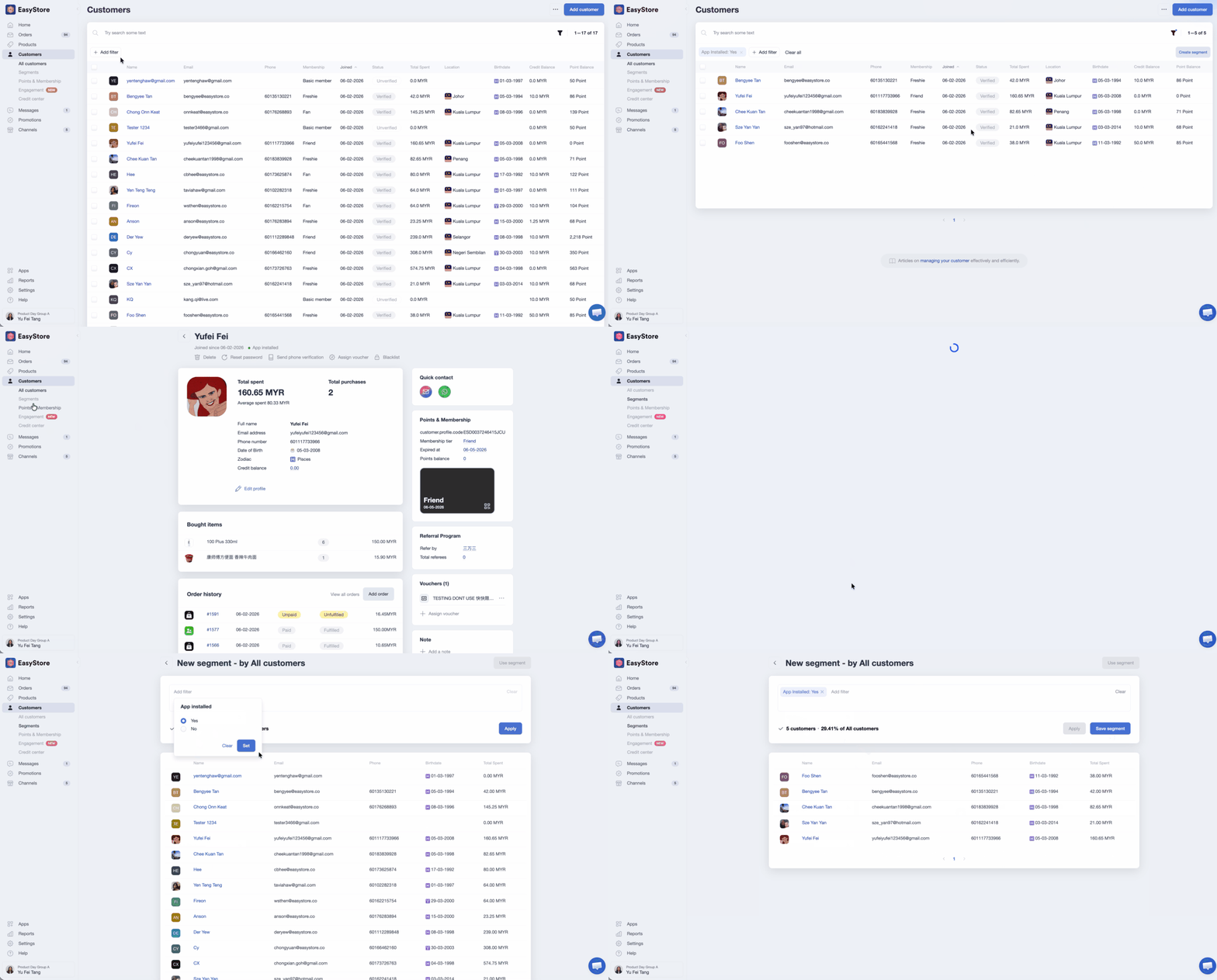
Now you can filter customers by app installation.
Combined with customer segmentation, you can target the right audience with vouchers or broadcast messages — rewarding loyal app users or engaging first-time online shoppers.
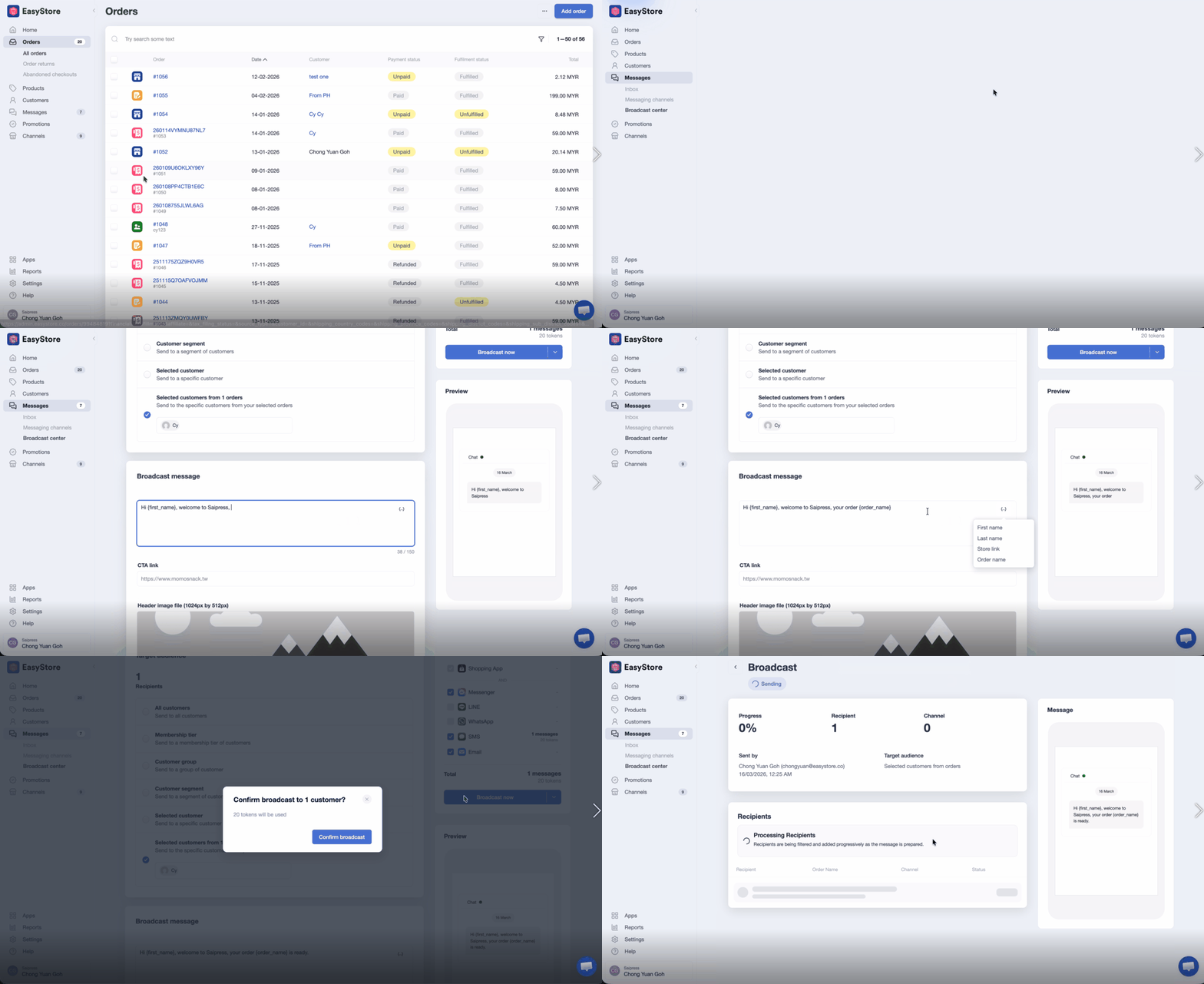
2. Send Broadcast Messages Based on Orders
Sometimes updates need to be tied to specific orders, not just customers.
You can now send broadcast messages based on selected orders, without manually filtering audiences.
Messages include the order name, so customers know exactly what each update refers to.
If multiple orders are selected, each order receives its own message.
3. Keep Product Data Consistent
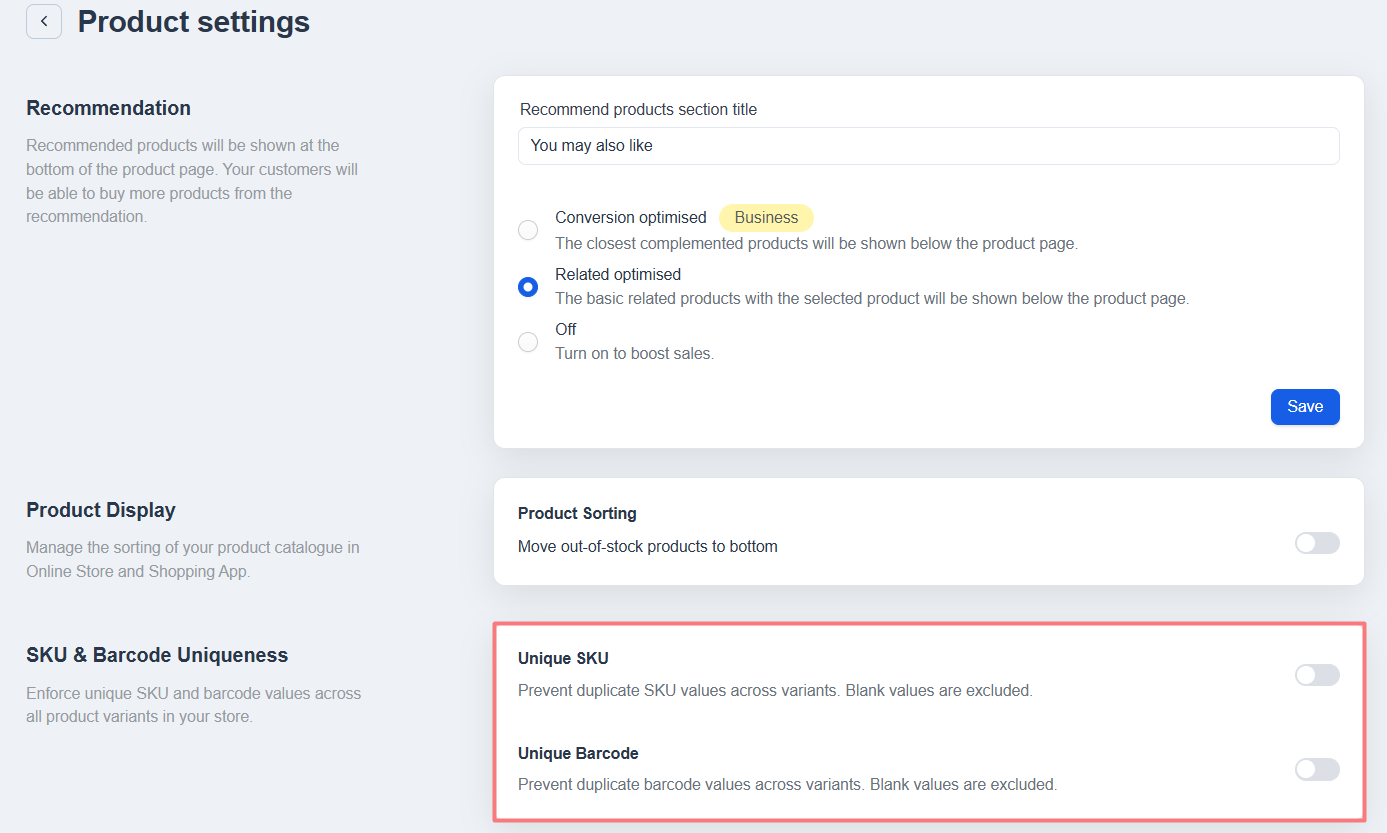
Duplicate or inconsistent SKUs or barcodes can cause confusion in fulfilment, tracking, and orders.
Now you can enforce unique SKU and barcode values across all product variants.
A few important notes:
- The SKU or barcode unique setting can only be enabled after removing any duplicates.
- Once enabled, these settings cannot be turned off.
This ensures your product data stays clean and reliable as your catalog grows.
4. See All Vouchers in One Place
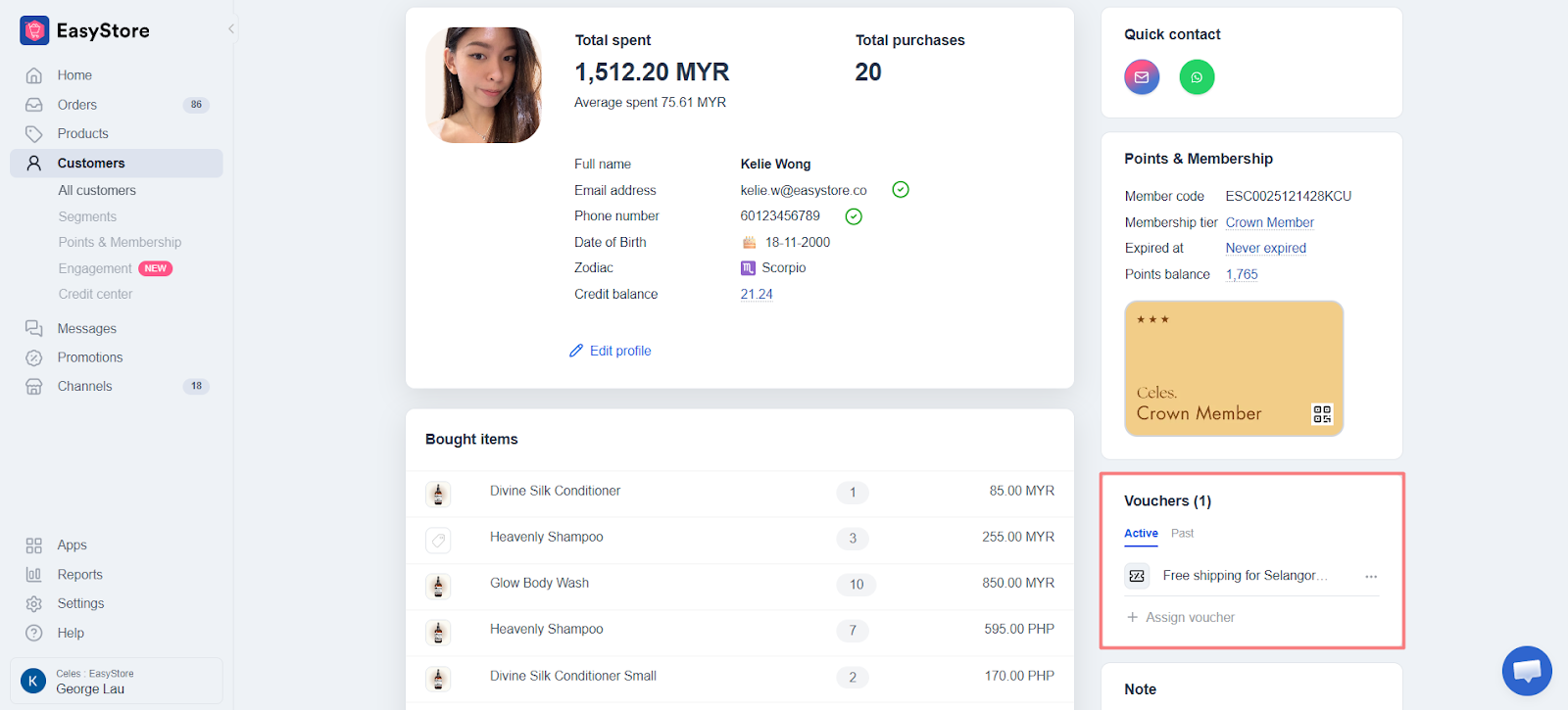
Previously, only active vouchers were visible in the customer profile.
Now, you can view both active and past vouchers — including used or expired ones.
Scheduled vouchers also show their start time, making it easier to plan campaigns and track customer rewards.
This gives your team a complete view of voucher activity, so you can manage offers and follow-ups with confidence.
5. Top Up Tokens Without Interruptions
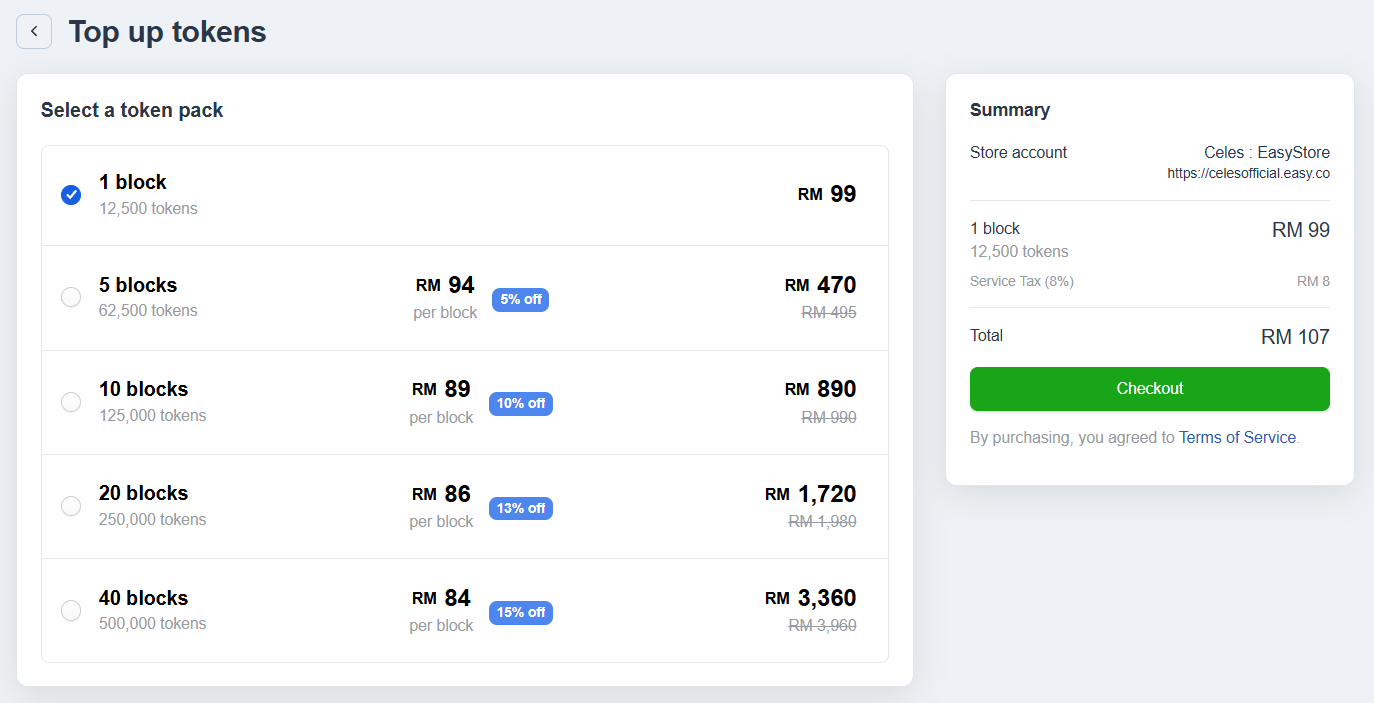
Engagement & Broadcast relying on token usage can stall if you need to contact support to top up.
Now you can top up tokens directly from your admin dashboard at any time. All top-ups are recorded in your history, so your team always has clear visibility of reload.
This keeps campaigns running smoothly and avoids unnecessary delays.
6. Track Email Token Usage
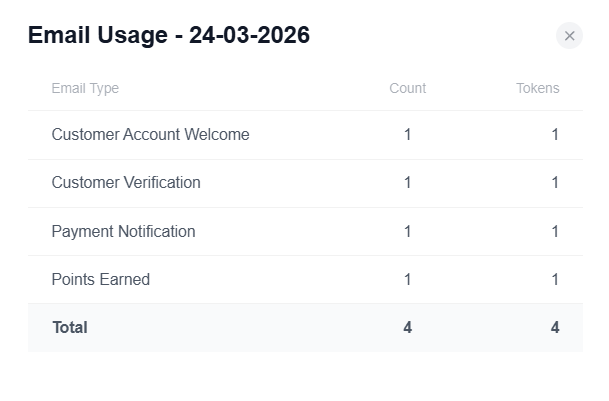
With multiple emails sent, it’s easy to lose track of where tokens are being used.
You can now view token usage by email, giving you a clearer picture of which messages consume tokens.
This helps you manage resources more effectively and plan communication with confidence.
7. Find and Manage Orders Faster
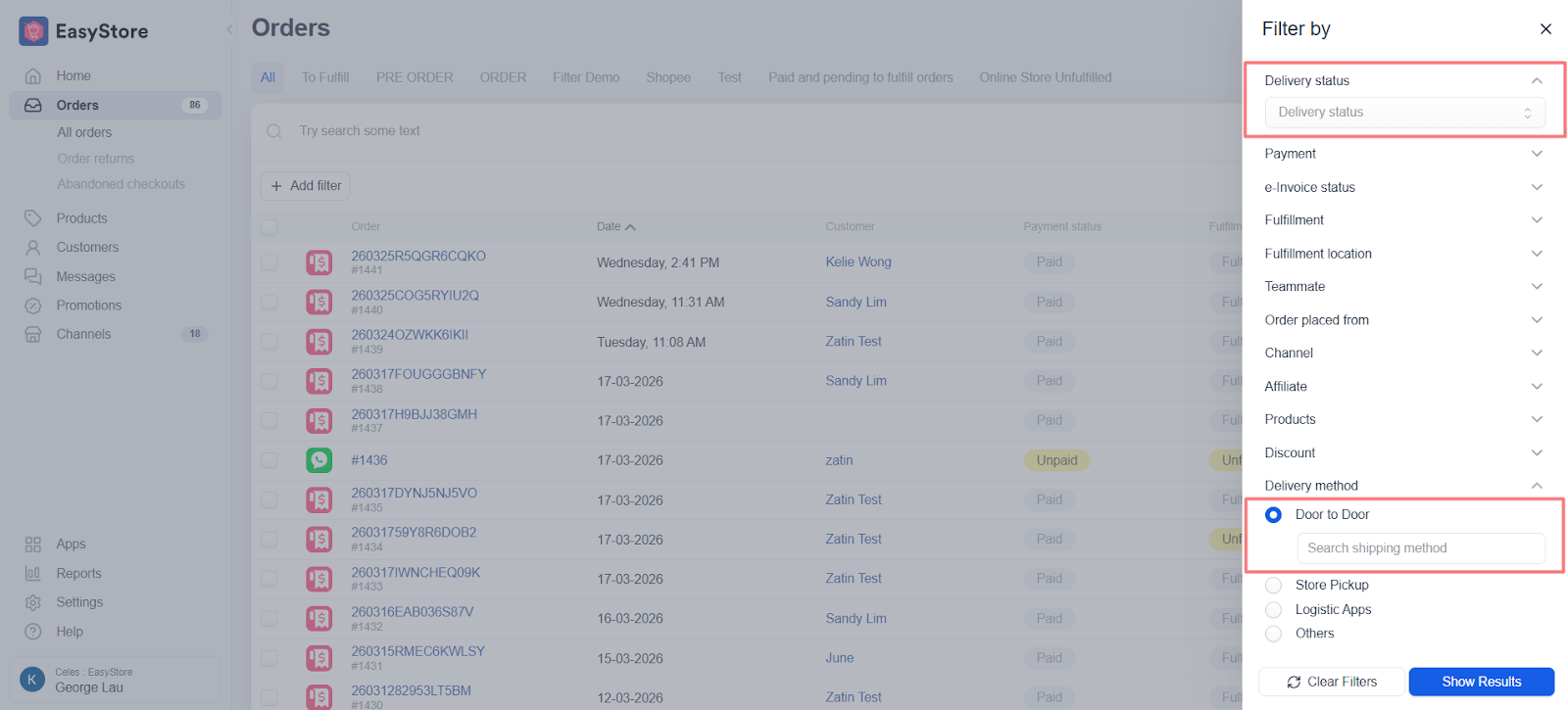
As order volume grows, keeping track of fulfillment can take extra time.
You can now filter orders by both shipping method and delivery status. Delivery status filters include stages like pending, in transit, delivered, and returned.
This makes it easier to locate the right orders, track progress, and manage fulfillment more efficiently.
8. Let Every Shared Link Land in the Right Place
Customers often tap on a shared product or voucher link and end up somewhere unexpected.
They might switch between a browser and the app, or lose the page they were interested in.
Now, shared links guide customers to the right place based on their device:
- Mobile with the app installed: the link opens directly in the app, continuing from the exact page the customer was viewing — whether a product, voucher, or order page.
- Mobile without the app: the link opens in your online store, with the app download page appearing only if the user chooses to download it.
- Desktop: links always open in the online store.
This ensures shared links feel seamless, keeping customers on the page they intended without extra steps or confusion.
9. Get a Clearer View of Payment Activity
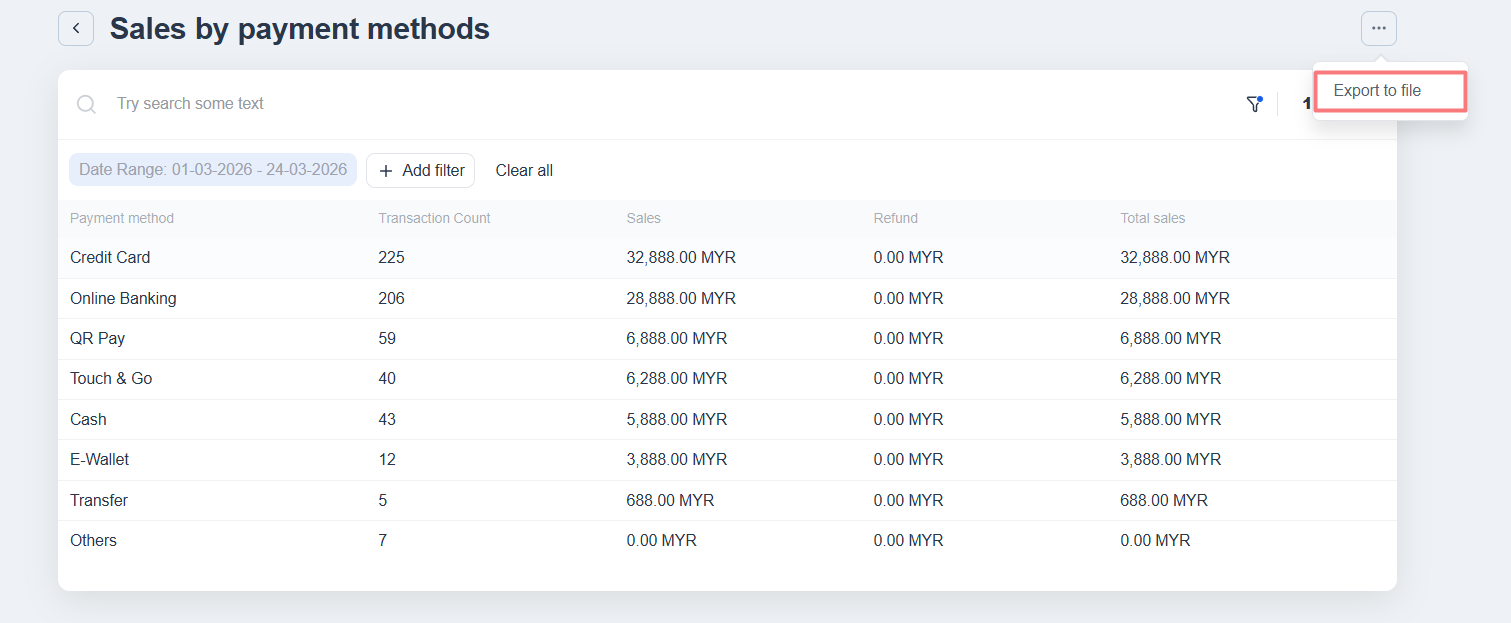
It can be confusing when total sales numbers don’t reflect refunds, making it harder to understand actual transaction activity.
Now, the sales report includes refunded amounts and lets you drill down by payment gateway.
You can export this data to see which payment methods are performing best and track refunds easily.
This gives your team a complete picture of payment activity, helping you make informed decisions and manage finances more confidently.
10. Import Product Ratings More Easily
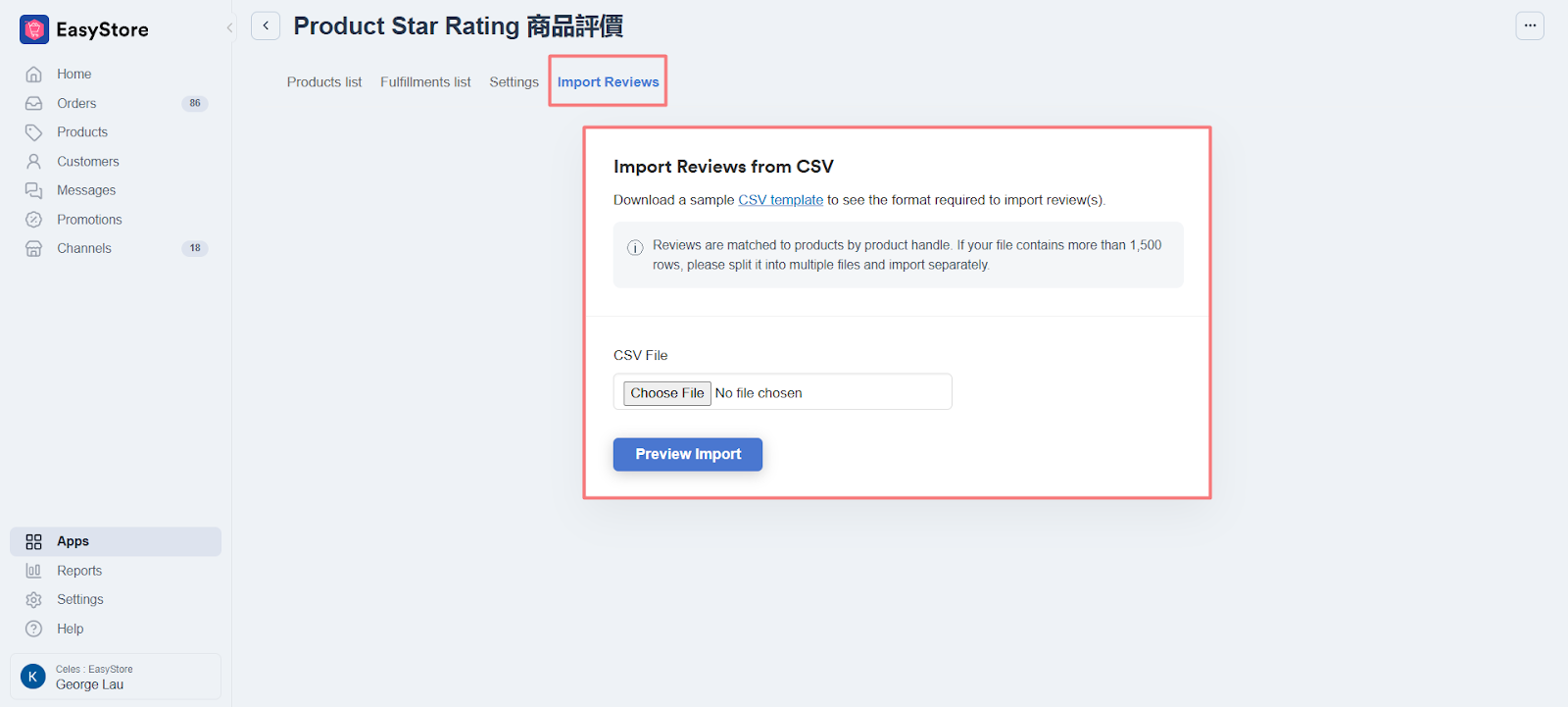
Adding product ratings manually can take time, especially when managing large catalogs.
You can now import product star ratings in bulk using a downloadable template.
This makes it faster to set up and manage product ratings with better control and accuracy.
11. Improve Product Visibility on Search Engine
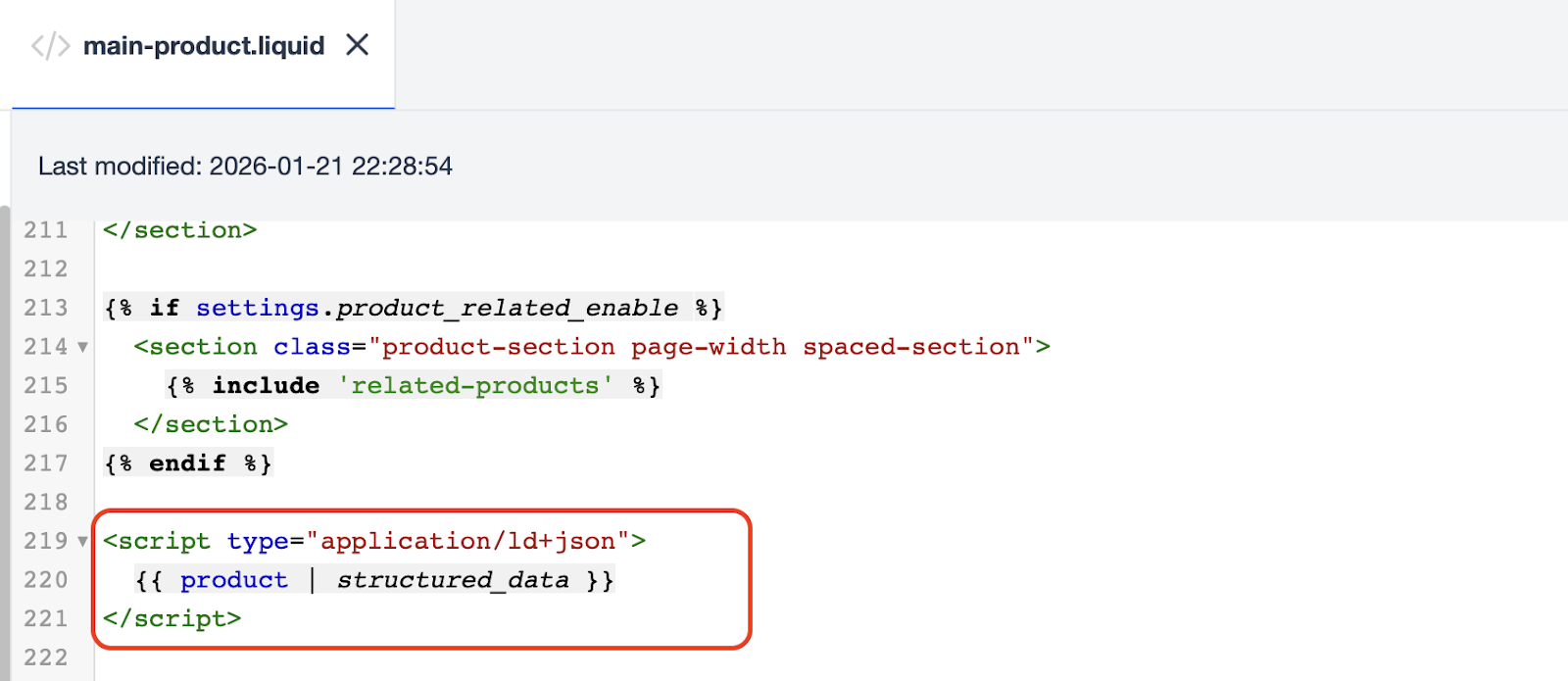
Search engines and AI tools rely on structured data to understand product details.
Product pages now support JSON-LD structured data, helping improve visibility in search results and AI-generated recommendations.
To apply the latest version, you can reset main-product.liquid or add the following code manually.
⚠️ Note: If you’ve made custom changes before, avoid resetting as it may override existing code.
12. Better Control for Pickup Scheduling (DateTime Picker Plus)
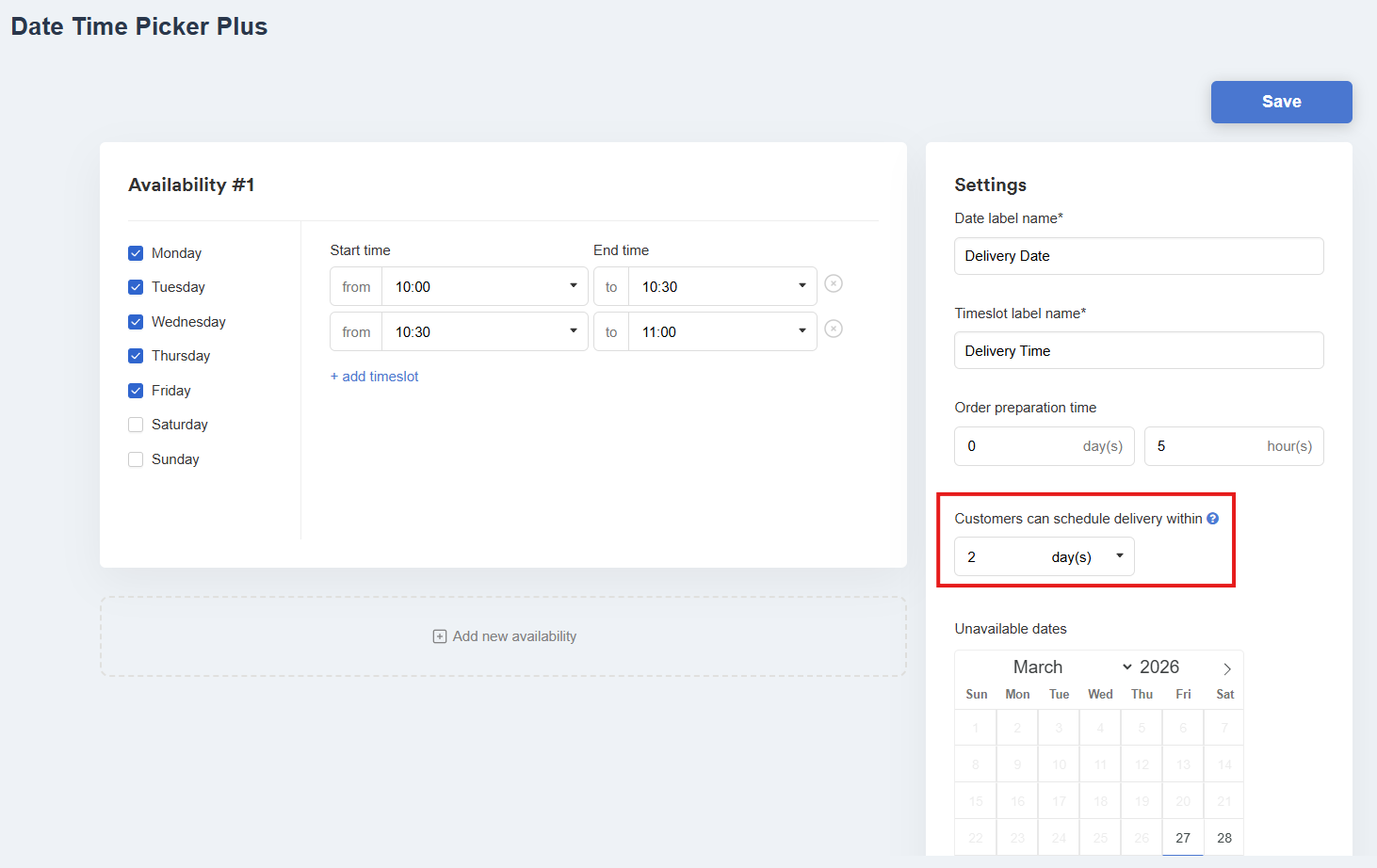
Customers may select delivery dates too far ahead, making fulfillment harder to manage.
You can now set pickup availability by days or hours to limit how far in advance scheduling is allowed.
Customers are automatically guided to select dates within the allowed timeframe.
Make Customers Love Buying from You
EasyStore empower brands to prioritize customers and enhance their experience, creating a unified customer experience (UCX) that customers love.
Over 50,000 brands have grown their businesses by embracing unified customer experiences (UCX) strategy through EasyStore across multiple sales channels - online store, retail outlets, marketplaces, and social media, ensuring consistency in product and service offerings for a seamless shopping journey.
Master Customer Experience in 2026 with our 3 Step Checklist
Customer expectations are on the rise in 2026. Use this checklist to learn 3 essential steps for improving customer interactions and staying ahead.
Download Now