August 2026 Product Updates
By Kelie Wong · 13th August, 2026
Table of Contents
Keep Every Part of Your Business Moving
As the year-end sales season approaches, the smallest operational delays can become the biggest distractions.
August's updates help you see stock more clearly, fulfil orders in the right way, set up your sales tools faster, and give customers a more consistent experience across online and physical stores. Here's what's new.
New Releases
1. Help Customers Find Stock at the Right Outlet
When you carry products across several locations, helping a customer find the right outlet can be the difference between a completed purchase and a missed visit.
Your online product pages can now show which store locations have an item available. In POS, staff can also look up availability without searching through multiple menus.
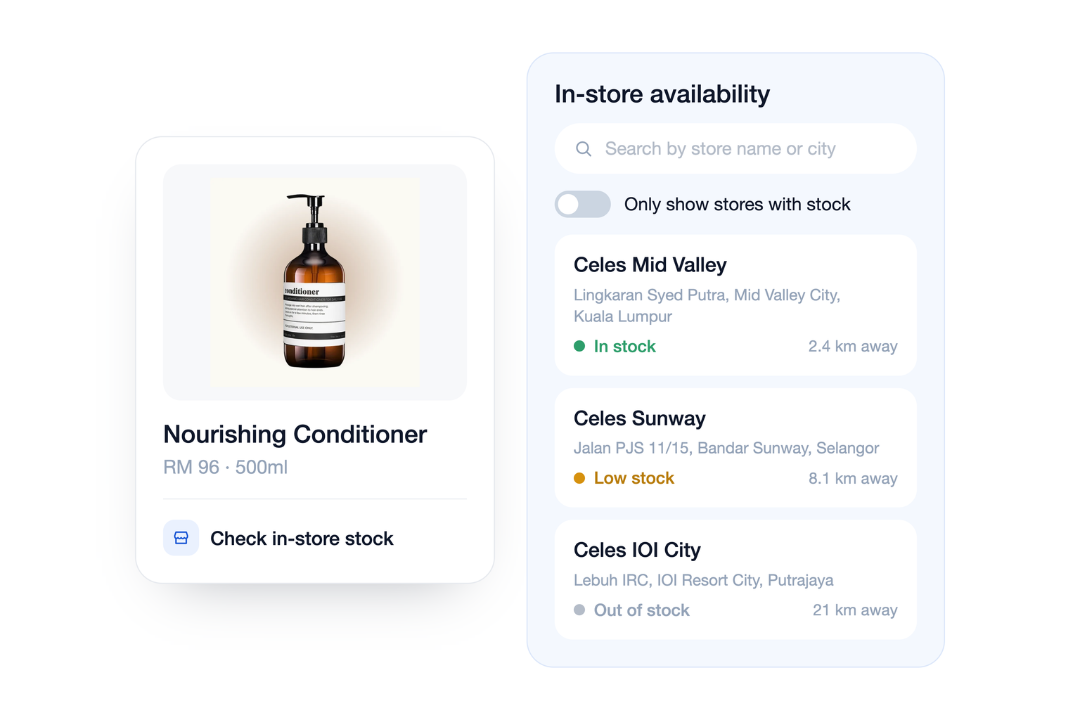
This is especially useful for fashion, beauty, electronics, and other multi-outlet retailers where availability changes throughout the day.
2. View Marketplace Performance in One Dashboard
Selling through Shopee, Lazada, and TikTok Shop is easier to manage when setup progress, connection health, and daily performance are visible in one place.
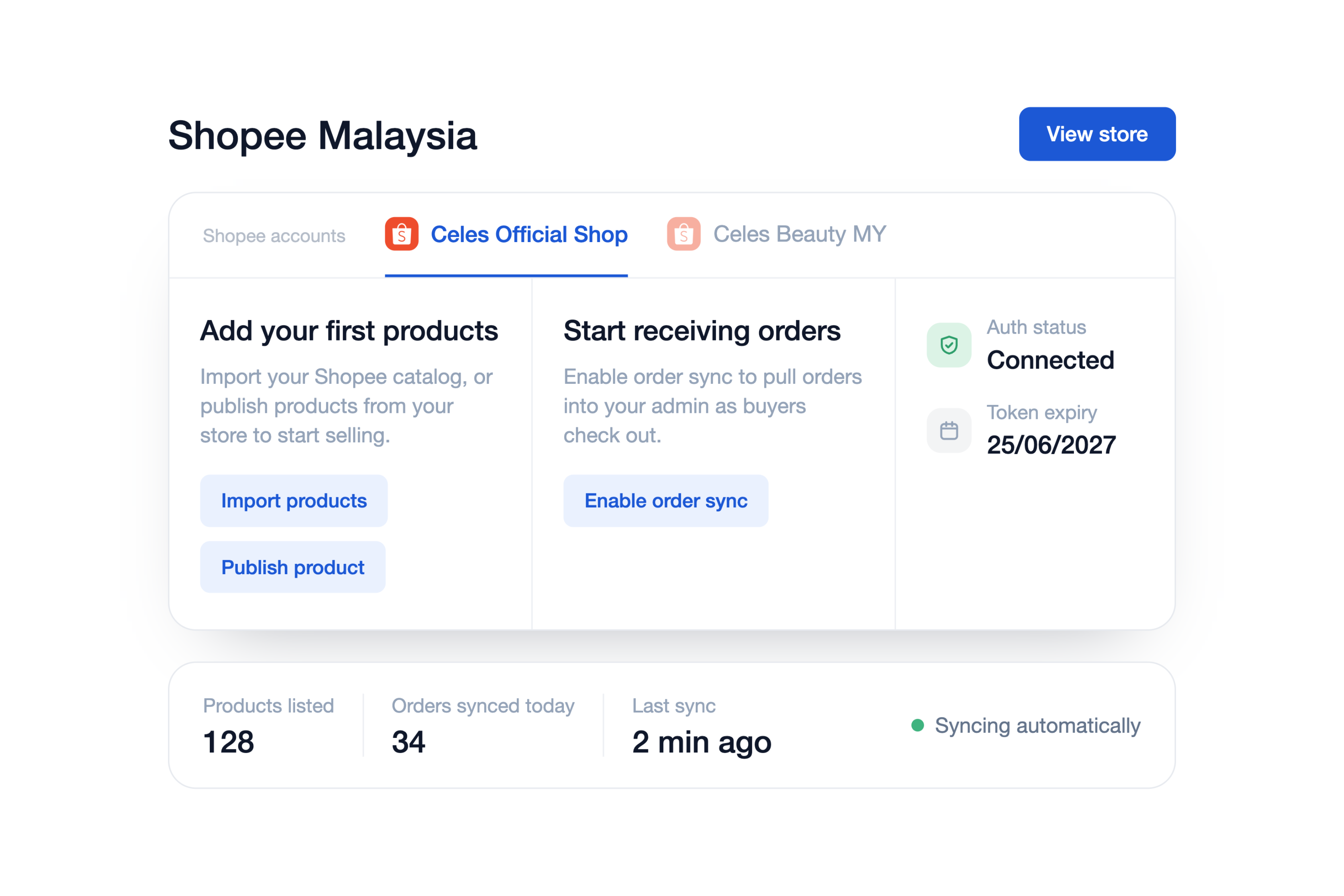
Whether you're just starting to expand into a new channel or looking to analyse existing performance, the new dashboard guides you through onboarding and brings key metrics together on a single, unified page.
- Product status — see the product sync status at a glance, including how many products have synced or encountered errors.
- Orders in the last 90 days — view recent order volumes for each connected channel.
- Selected inventory outlet, branch, or location — see which inventory source is feeding the channel.
- Account connection health — check whether the channel account connection is healthy or needs attention.
Each metric card links directly to the relevant products, orders, inventory, or connection area, making it easy to take the next step.
3. Print Receipts Directly from Web Browser
In addition to printing through our mobile app, POS users can now print thermal receipts and shift reports directly from a web browser. Simply select your configured printer and use your saved 58 mm or 80 mm receipt layout.
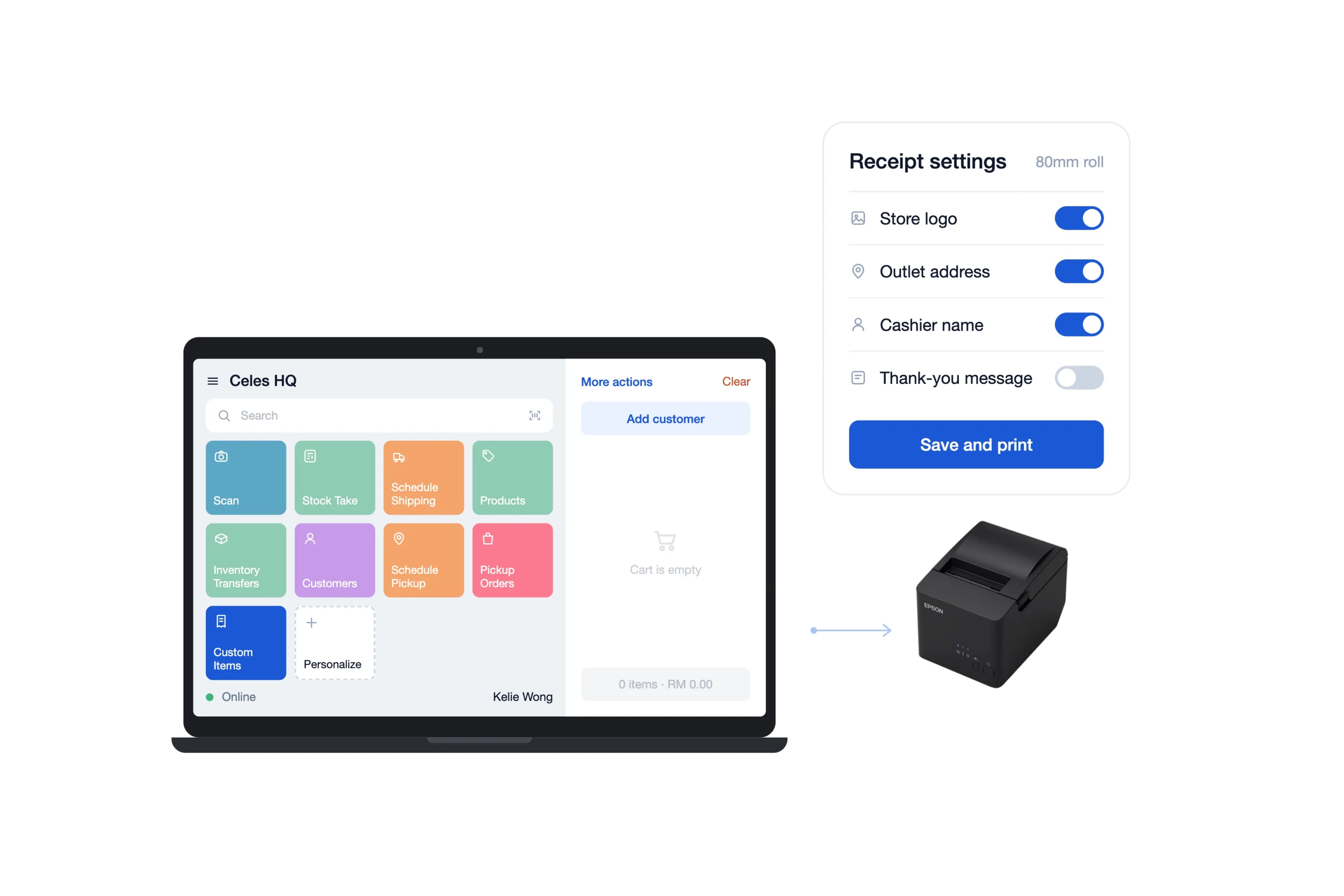
Before printing, ensure the printer driver, printer, and paper size are correctly configured on your device. You can also view the full list of supported printers and scanners.
Browser printing does not support:
- Automatic printing
- Printer detection
- Cash-drawer control
- Hardware monitoring
4. See Which Orders Hold Committed Stock
Committed inventory now comes with greater visibility, helping you understand exactly which units are reserved, for which customer, and at which location.
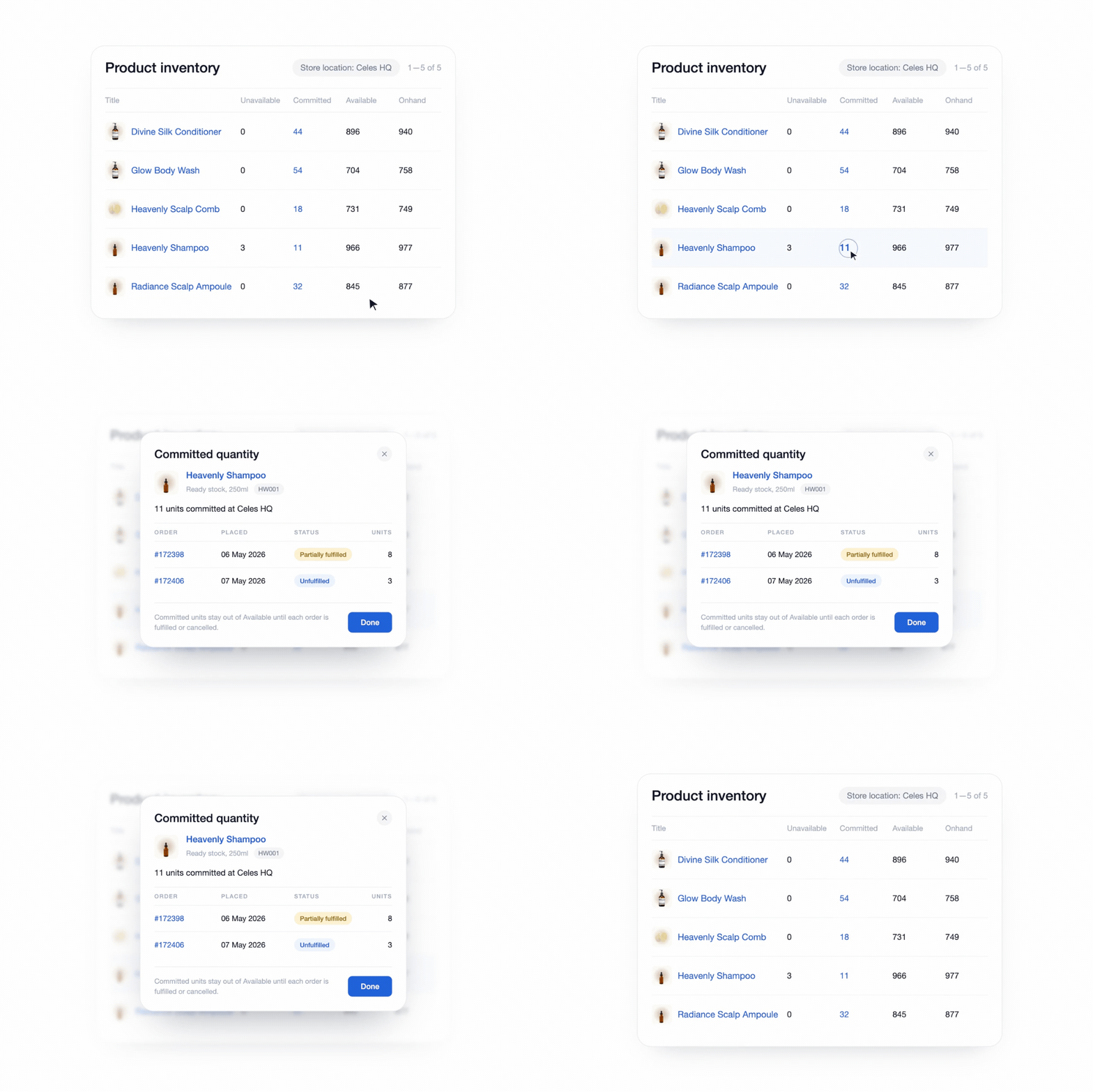
In Products → Inventory, click any Committed quantity to view:
- The orders reserving those units
- The customer and order details
- The order date and fulfilment status
- The quantity reserved at each location
If the committed total does not match the listed open orders, select Recalculate to update the count for that location.
This gives your team a clearer picture of stock availability across outlets and warehouses, making it easier to answer inventory questions and resolve discrepancies.
5. Automate Elmina Mall Sales Reporting
The new Elmina Mall Integration ensures that retail transactions are automatically synchronised with the mall's system, streamlining operations, reducing manual work, and ensuring greater accuracy in reporting.
- Automatic Sales Synchronisation — retail store transactions sync with the Elmina Mall system, eliminating manual input and supporting data accuracy across platforms.
- Daily Sales Data Upload — sales data is automatically uploaded to the mall system every day at 11:40 PM, keeping records accurate, consistent, and up to date.
- Automated Transaction Reports — daily transaction reports are synchronised, providing accurate, real-time insights for better decision-making and operational efficiency.
If your store operates at Elmina Lakeside Mall, install the integration from the EasyStore app store and complete the connection before your next reporting cycle.
View the full list of other Mall Integrations available.
Your team can keep processing transactions in EasyStore while the integration prepares the required mall report in the background.
Enhancements
1. Engagement messages now include reward details automatically
When you attach a voucher or reward points to an Engagement message, the reward details are included automatically.
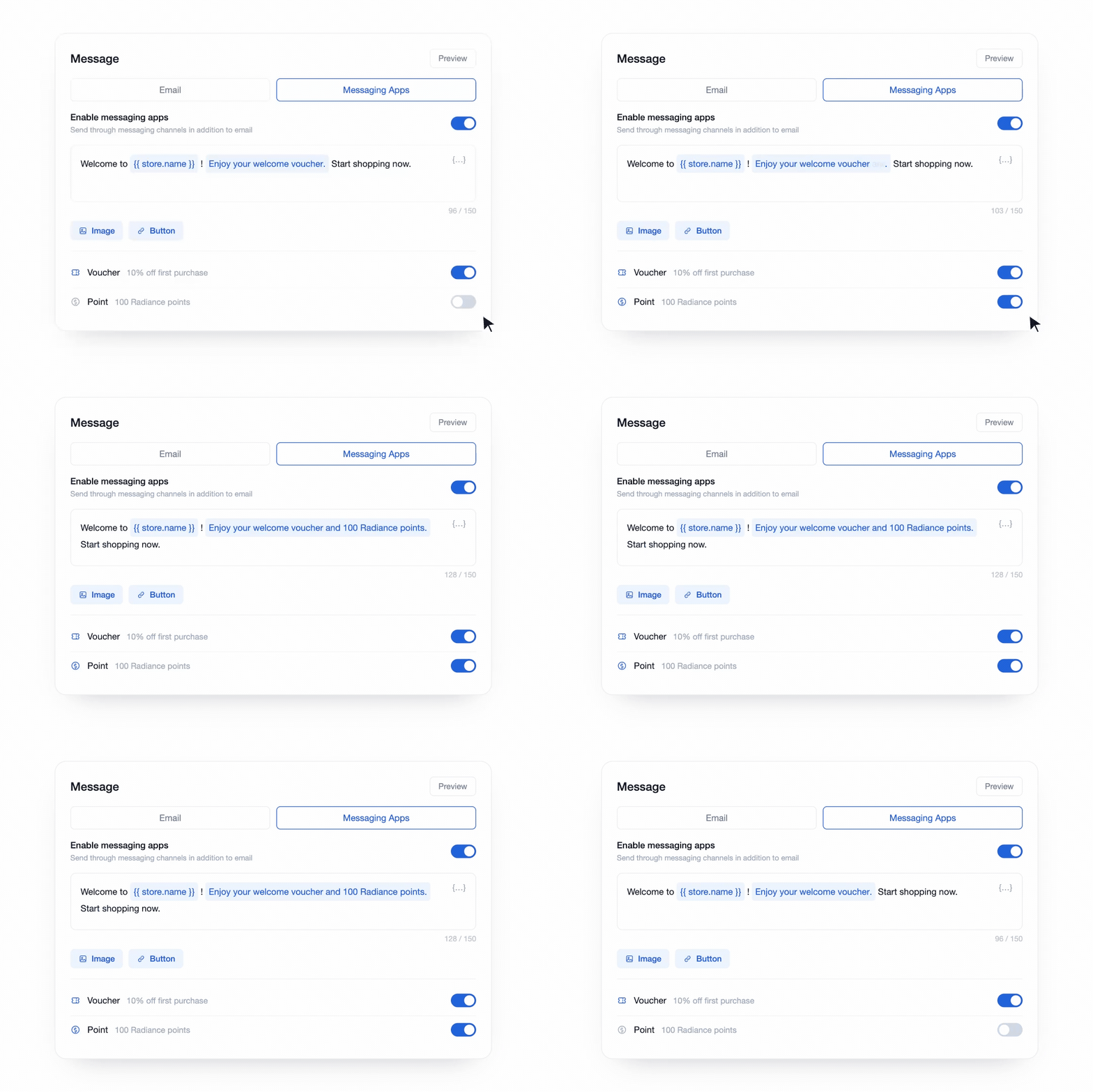
You can also edit each message with your own wording, add images and buttons for each message.
To explore Engagement, go to Customers → Engagement.
This reduces manual work for your team, prevents mismatched information and helps customers understand—and use—their rewards. You can also personalise messages with your own wording, images and buttons.
2. Display Paid Amount and Change on Receipts
Printed receipts can now show the amount paid and change due for cash transactions.
Enable this option in POS Receipt Settings to display both amounts on new receipts.
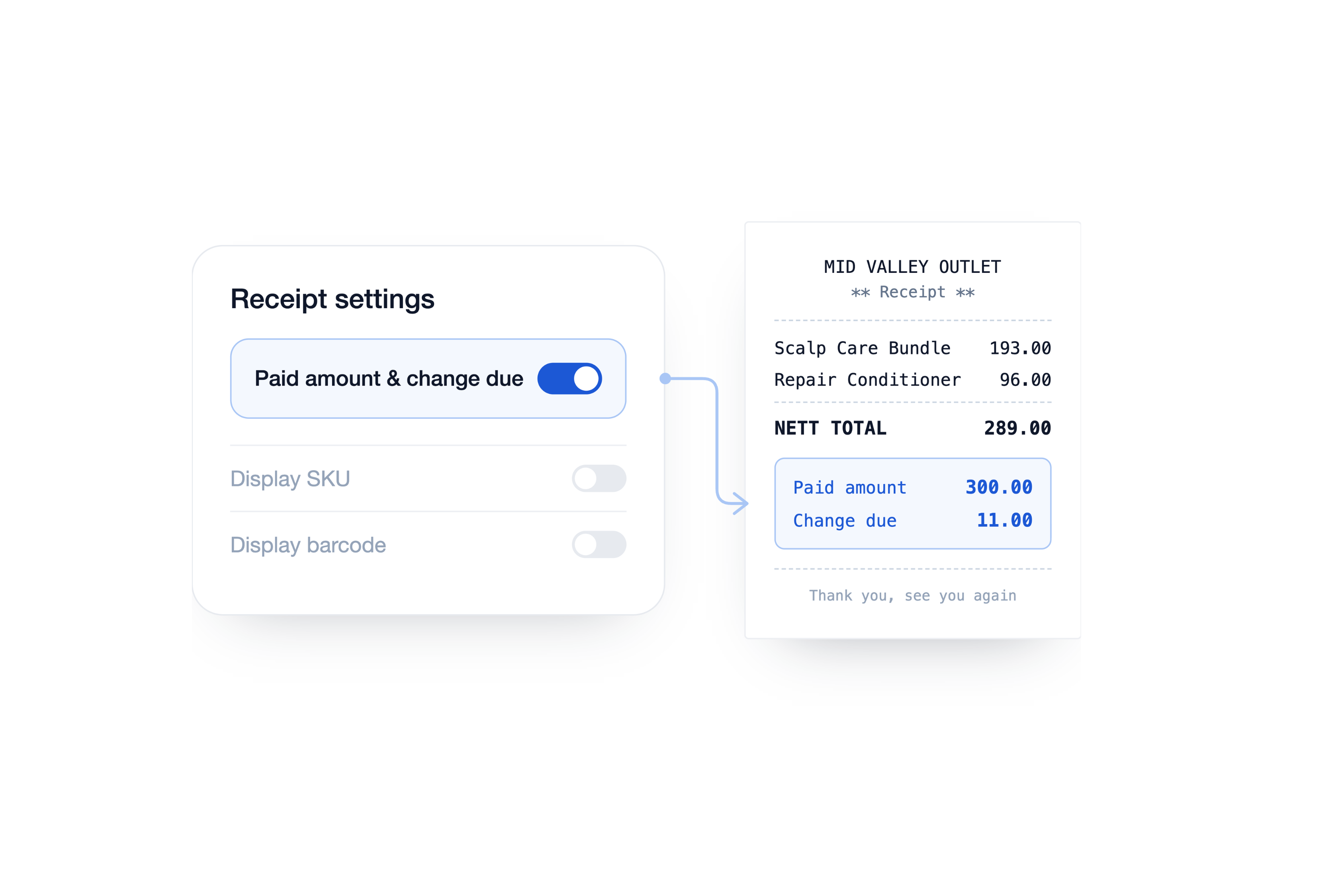
This gives customers and cashiers a clear record of the cash exchanged and makes it easier to resolve payment questions or reconcile the cash drawer.
Make Customers Love Buying from You
EasyStore empower brands to prioritize customers and enhance their experience, creating a unified customer experience (UCX) that customers love.
Over 50,000 brands have grown their businesses by embracing unified customer experiences (UCX) strategy through EasyStore across multiple sales channels, online store, retail outlets, marketplaces, and social media, ensuring consistency in product and service offerings for a seamless shopping journey.
Master Customer Experience in 2026 with our 3 Step Checklist
Customer expectations are on the rise in 2026. Use this checklist to learn 3 essential steps for improving customer interactions and staying ahead.
Download Now