October & November 2026 Product Updates
By Kelie Wong · 6th November, 2026
Table of Contents
As the year-end sales season builds, from 11.11 and 12.12 to festive shopping, orders pick up across every channel and each step from checkout to packing is put to the test.
These updates help you get ready: accept Touch 'n Go eWallet with automatic payment verification, run multiple Shopee and TikTok Shop accounts and cross-border Direct Shops from one admin, refresh your storefront with 8 new themes, and pack faster with the airway bill and item list in one print.
New Releases
1. Connect Multiple Shopee and TikTok Shop Accounts
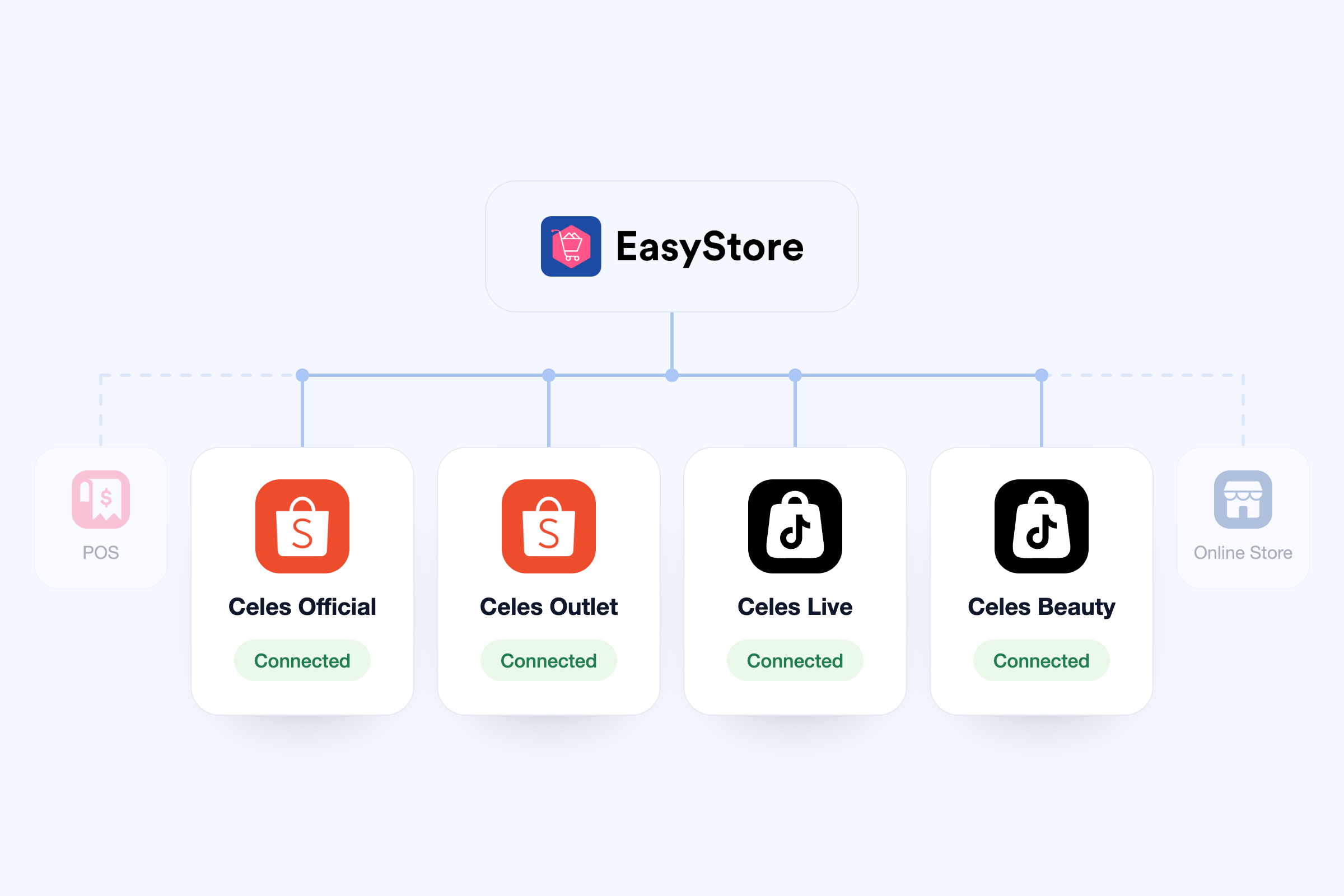
Selling through more than one Shopee or TikTok Shop store? You can now connect and manage them all in one place.
How it benefits:
- Expand your catalogue across stores faster: publish products from your existing product catalogue to selected marketplace accounts, with bulk publishing to reduce repetitive uploads
- Keep each store's listings distinct: keep marketplace-specific listing content while syncing stock, or let supported product details update from EasyStore
- Keep existing listings when connecting: match existing marketplace listings to your EasyStore products, so you can connect what you already sell without recreating every listing
- Choose where each account draws stock: select the inventory location supplying each marketplace account, so stock follows how your business operates
- Spend less time updating stock manually: with products linked and order syncing on, marketplace orders update your EasyStore inventory and linked listings receive the stock updates
Your next stepGo to Shopee or TikTok Shop in Channels to connect another account. The Connected badge shows how many accounts are linked. Each account uses 1 channel quota.
2. Sell Cross-Border with Shopee Direct Shop
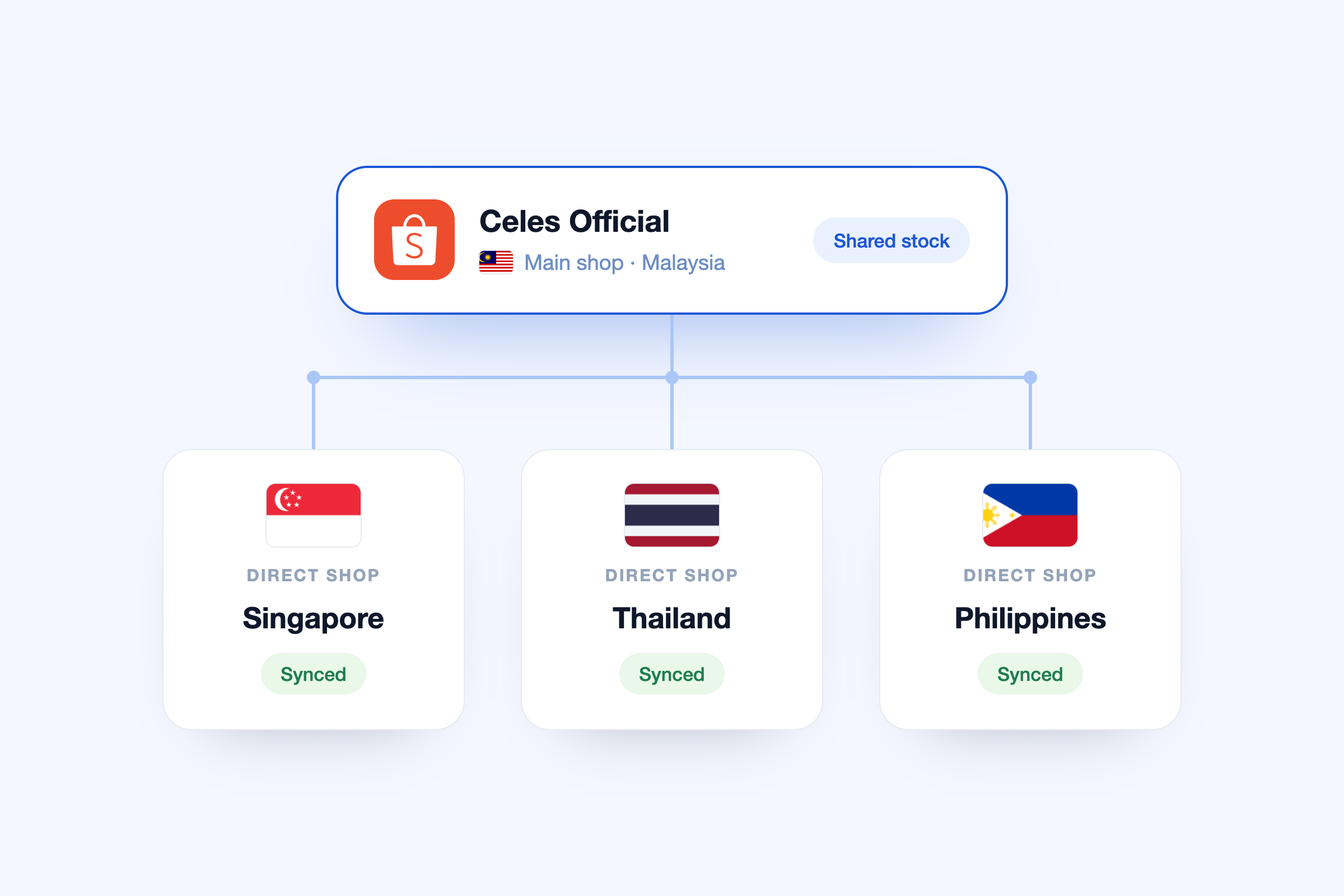
Direct Shop is part of Shopee's cross-border programme. Sellers who join can open Direct Shops in other Shopee markets, such as Singapore, Thailand and the Philippines, all linked to their existing Shopee shop. With EasyStore, your Direct Shops now sync under your Shopee account.
Benefits:
- Manage orders from every market in one admin
- Avoid overselling, since all your Shopee shops sell from the same stock
- Skip extra catalogue work, as Direct Shop listings are already linked to your EasyStore products
Your next step
Already have Direct Shops? Go to Channels → Shopee → Accounts and select Authorize to reconnect your main Shopee account, then turn on the Direct Shops you want to sync. Each Direct Shop uses 1 channel quota.
3. Set Tax Overrides For Shipping or Selected Products
Your tax settings let you set a default tax rate across your store, including different rates for different regions. With Tax rates and exemptions, you get flexibility to override that default for:
- Shipping overrides: a separate tax rate for shipping fees
- Product overrides: a separate tax rate for products in a chosen collection
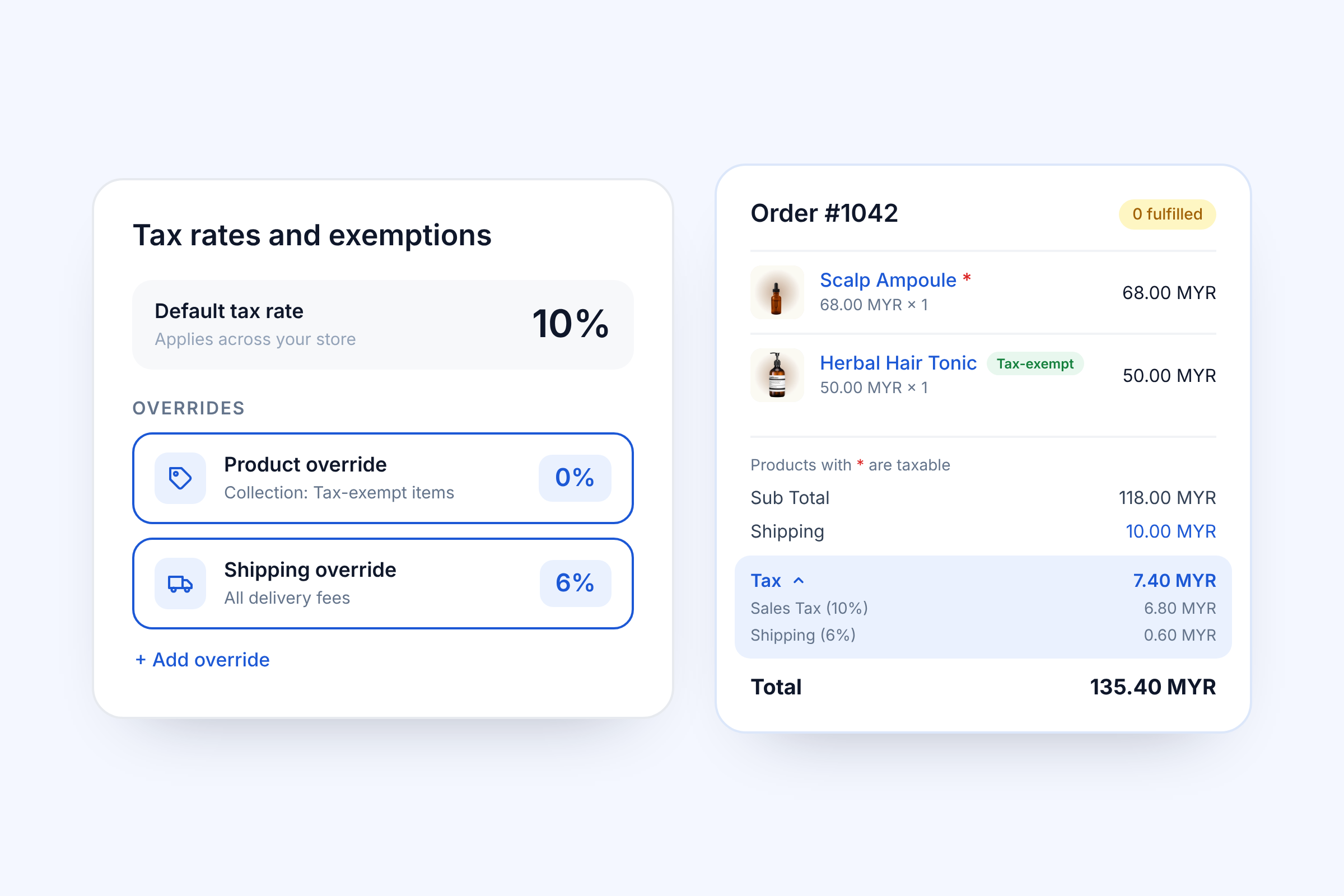
For example: your store’s default tax rate is 10%. You add a product override of 0% for a collection of tax-exempt items, and a shipping override of 6% for delivery fees.
Customers will also be able to see clearly the tax charged in orders, invoices and exports.
Your next stepGo to Settings → Taxes, select a country, then open Tax rates and exemptions to add a rate for shipping or a product collection. Check the tax on a test order. Using a customised invoice template? Reset and save it to show each tax rate.
4. 8 New Conversion-Focused Storefront Themes
Looking to refresh your storefront? Here are 8 new conversion-focused themes:
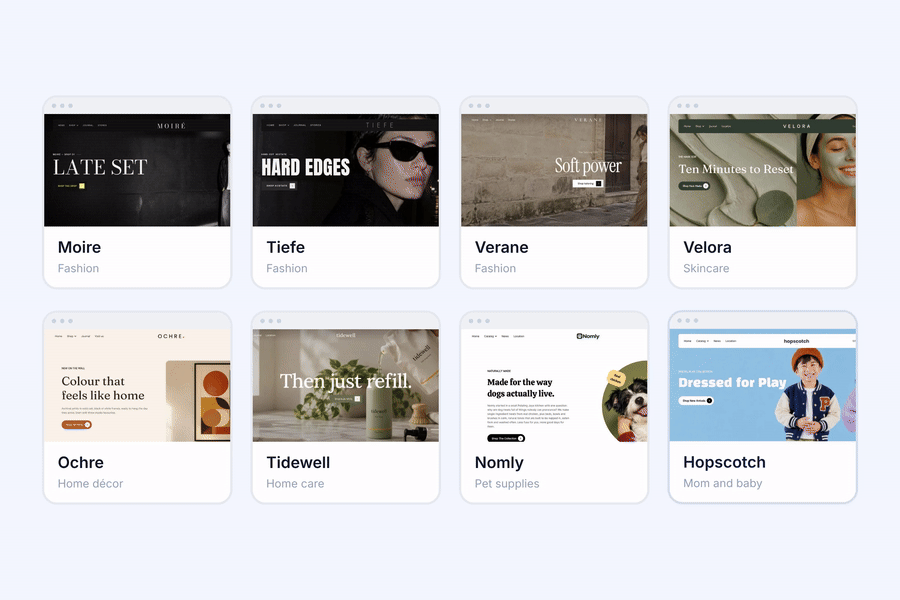
- Fashion: Moire, Tiefe and Verane
- Skincare: Velora
- Home décor: Ochre, for products like lamps and photo frames
- Home care: Tidewell, for products like hand soap
- Pet supplies: Nomly
- Mom and baby: Hopscotch
Across the new themes, you'll find:
- 17 new homepage sections, including Shop The Look, Product Bundle with clickable hotspots, Sales Countdown, Promo Carousel, Testimonials (including a slider), Before & After and YouTube Shorts
- Product cards with variant swatches and quick add
- A mega menu with promo cards, a sticky or transparent header and popular-search suggestions
🔔 Got bazaars coming up?
Save 50% on the Bazaar Booster Plan and manage bazaars + ecommerce in one place!
For new EasyStore users only
New Integrations
1. Touch 'n Go eWallet
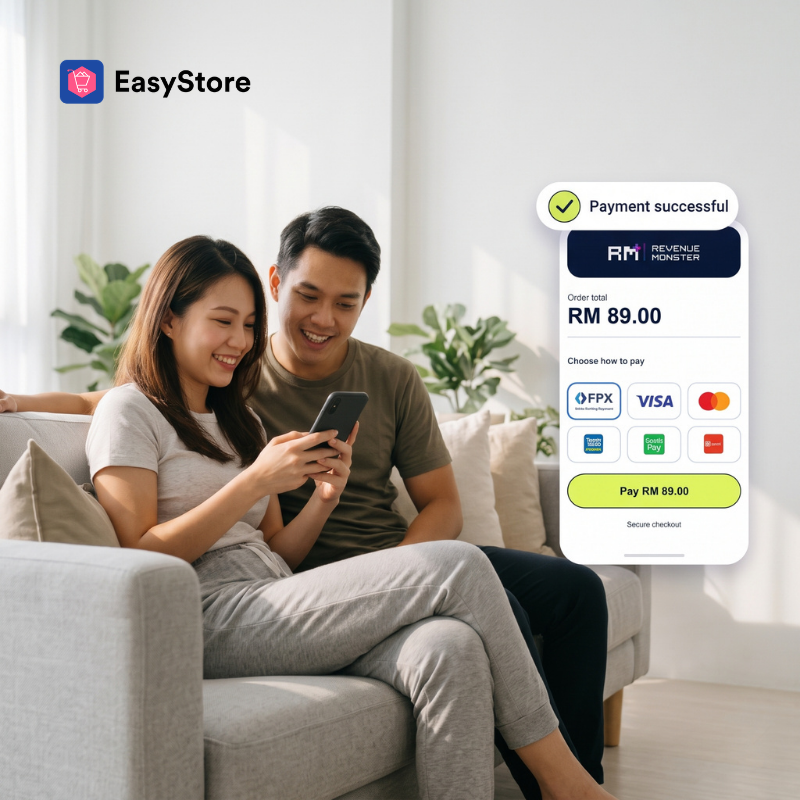
Give customers a quicker, worry-free way to pay with Touch ‘n Go eWallet. Each payment comes with a dynamic QR code that already includes the exact amount due, so customers just scan and pay, with nothing to key in and no risk of paying the wrong amount.
On your side, each payment is verified automatically and the order status updates as soon as it succeeds, so there’s no need to match transactions to orders by hand.
Your next step
Register a Touch 'n Go business account, then follow the setup guide in your Touch 'n Go eWallet payment settings. Touch 'n Go charges transaction fees, as with other payment gateways.
2. DOKU Global
DOKU Global is now available as a hosted payment gateway for MYR, bringing credit cards, e-wallets, bank transfer and PayLater together through one provider.
Your next step
Review DOKU Global in your payment settings and enable it if its payment methods suit your customers.
Enhancements
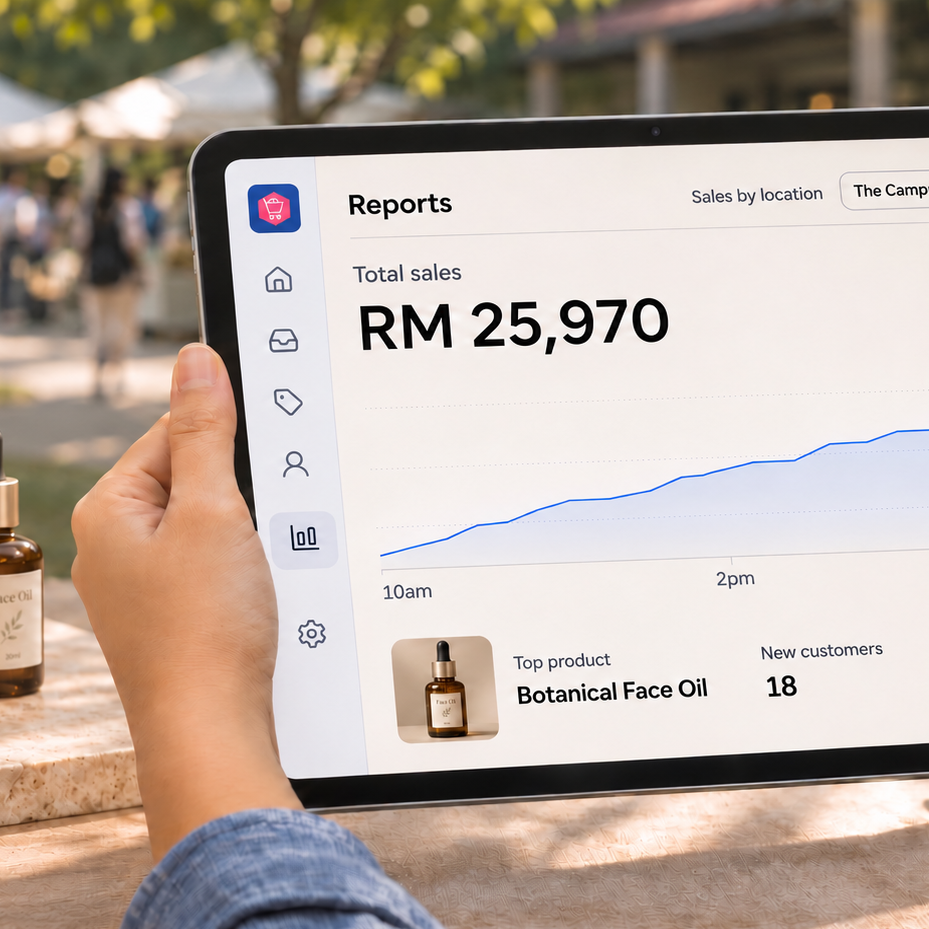
1. Reports Enhanced For Clearer At-a-glance View
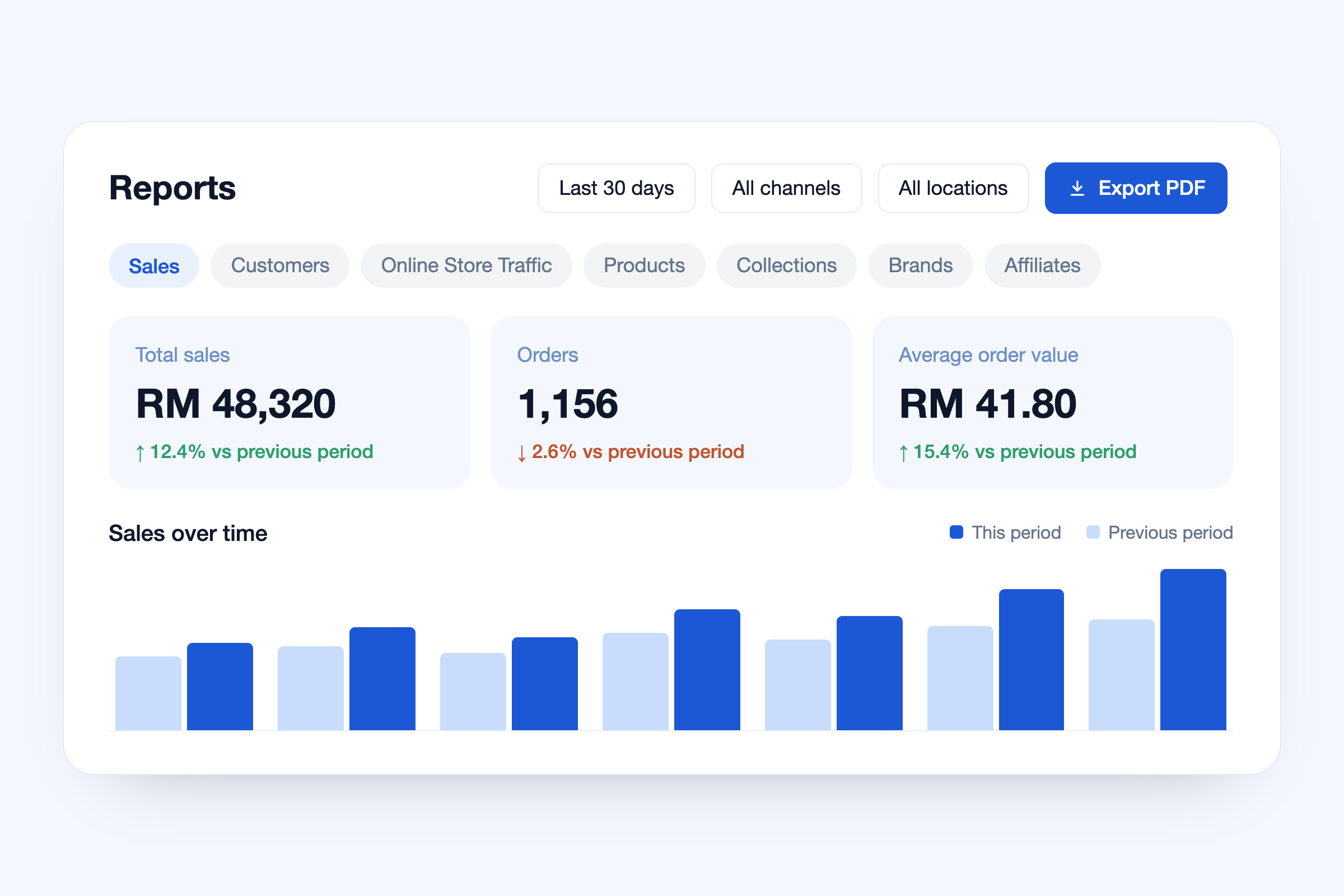
Reports page has been enhanced, allowing you to spot what's changed and what needs attention at one glance.
It now shows:
- 7 key sections: Sales, Customers, Online Store Traffic, Products, Collections, Brands and Affiliates, with every trend compared against the previous period
- Date ranges: today, yesterday, last 7 days, last 30 days or a custom period
- Filters: by channel, location or teammate
- PDF export: download a report as a PDF for easier sharing
2. Build Shopper Trust with Shopee and Lazada Ratings
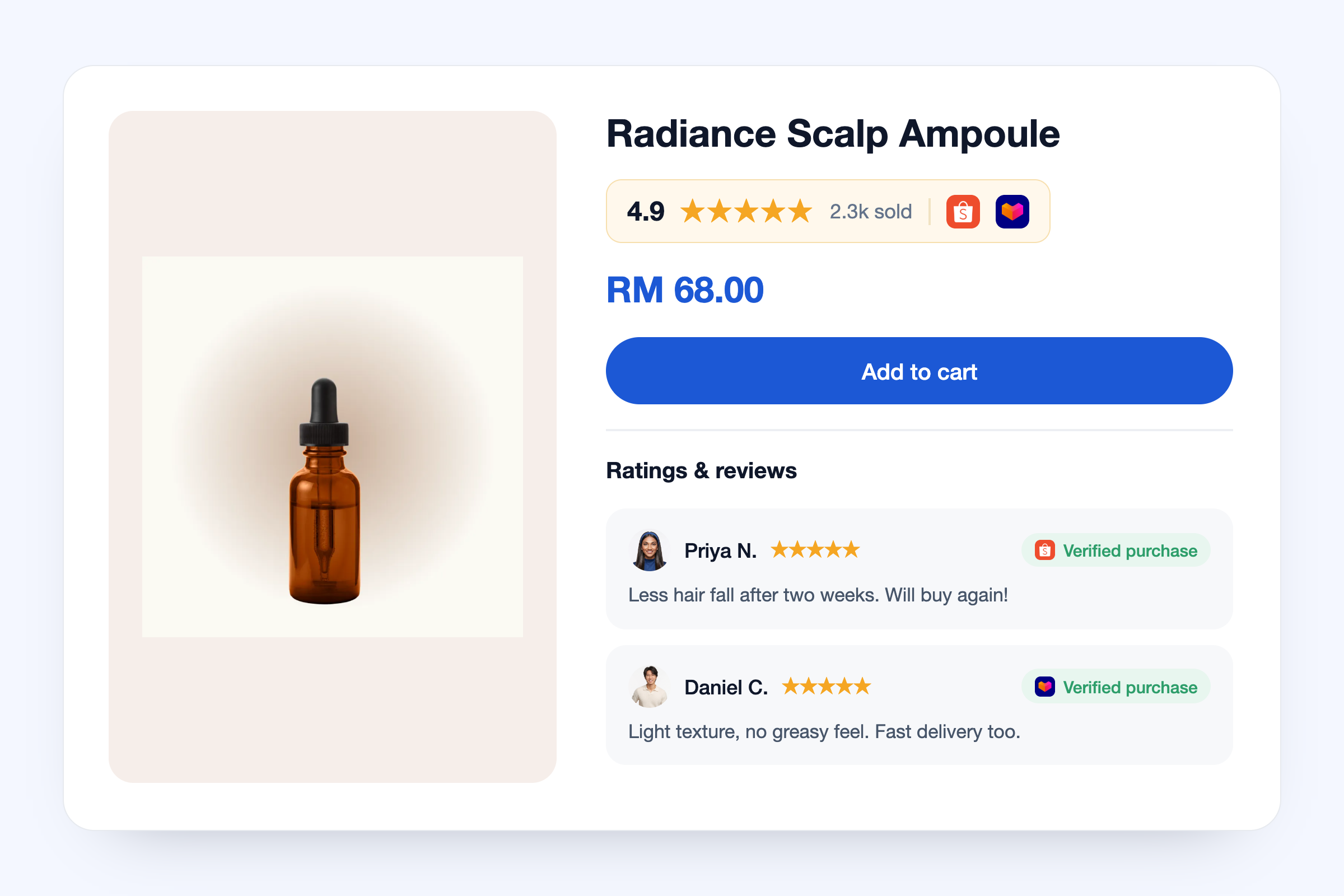
Turn your Shopee and Lazada reviews into social proof on your online store.
Product pages show your marketplace score, stars and units sold next to the price, plus a ratings section with your latest reviews marked "Verified purchase".
3. Print Packing Slips and AWBs Together
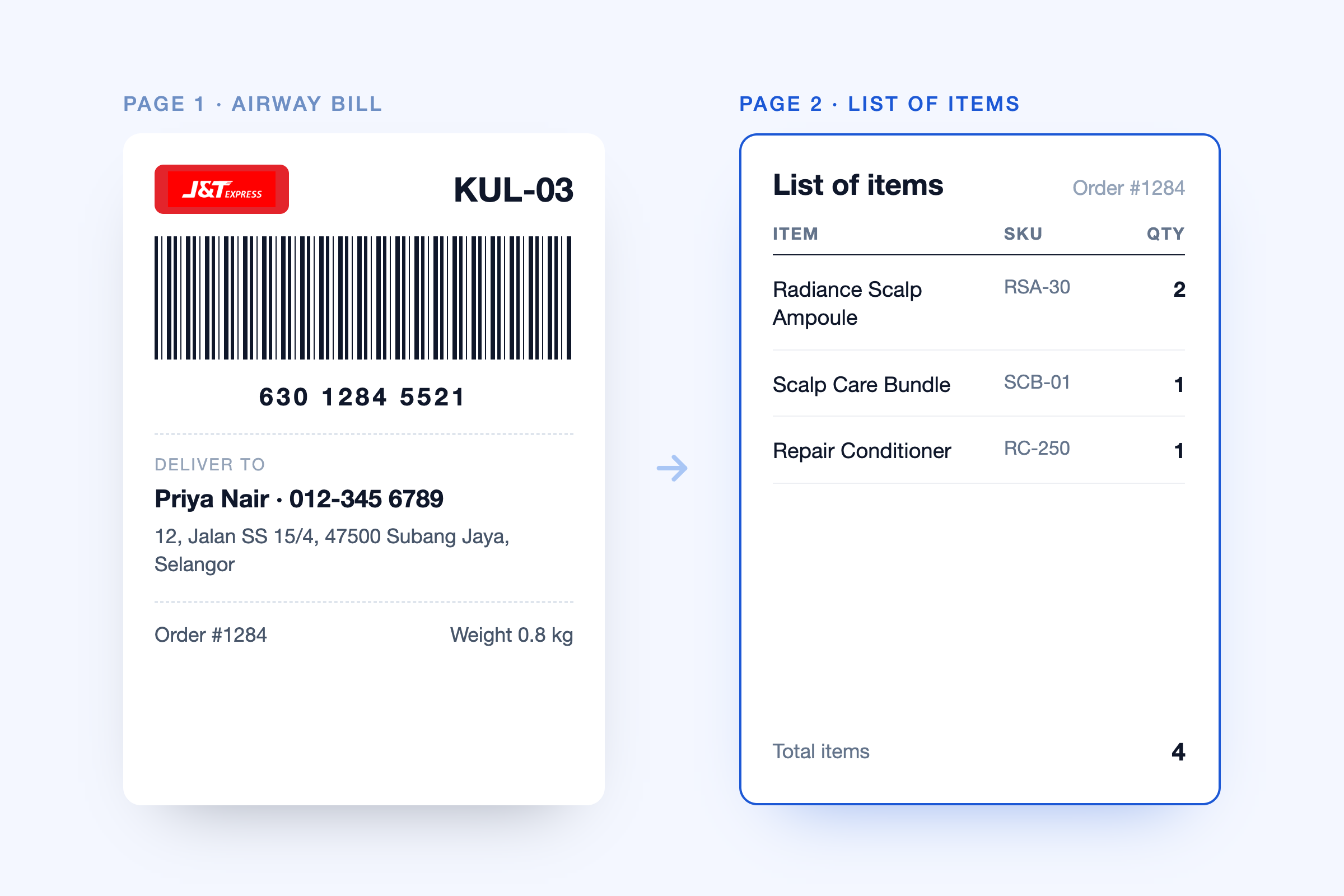
Print each airway bill with its packing slip in one go. Every AWB is followed by a "List of items" page with each item's name, SKU and quantity, so staff can pack every parcel from a single print, in single or bulk runs.
Available on admin web in Malaysia, Singapore, Thailand, Taiwan and the Philippines for supported carriers, including J&T Express, Ninja Van, DHL and Pos Laju. Turn it on under Air Way Bill (or Other settings) in your carrier app settings.
4. Membership Expiry Shown for Highest-Tier Members
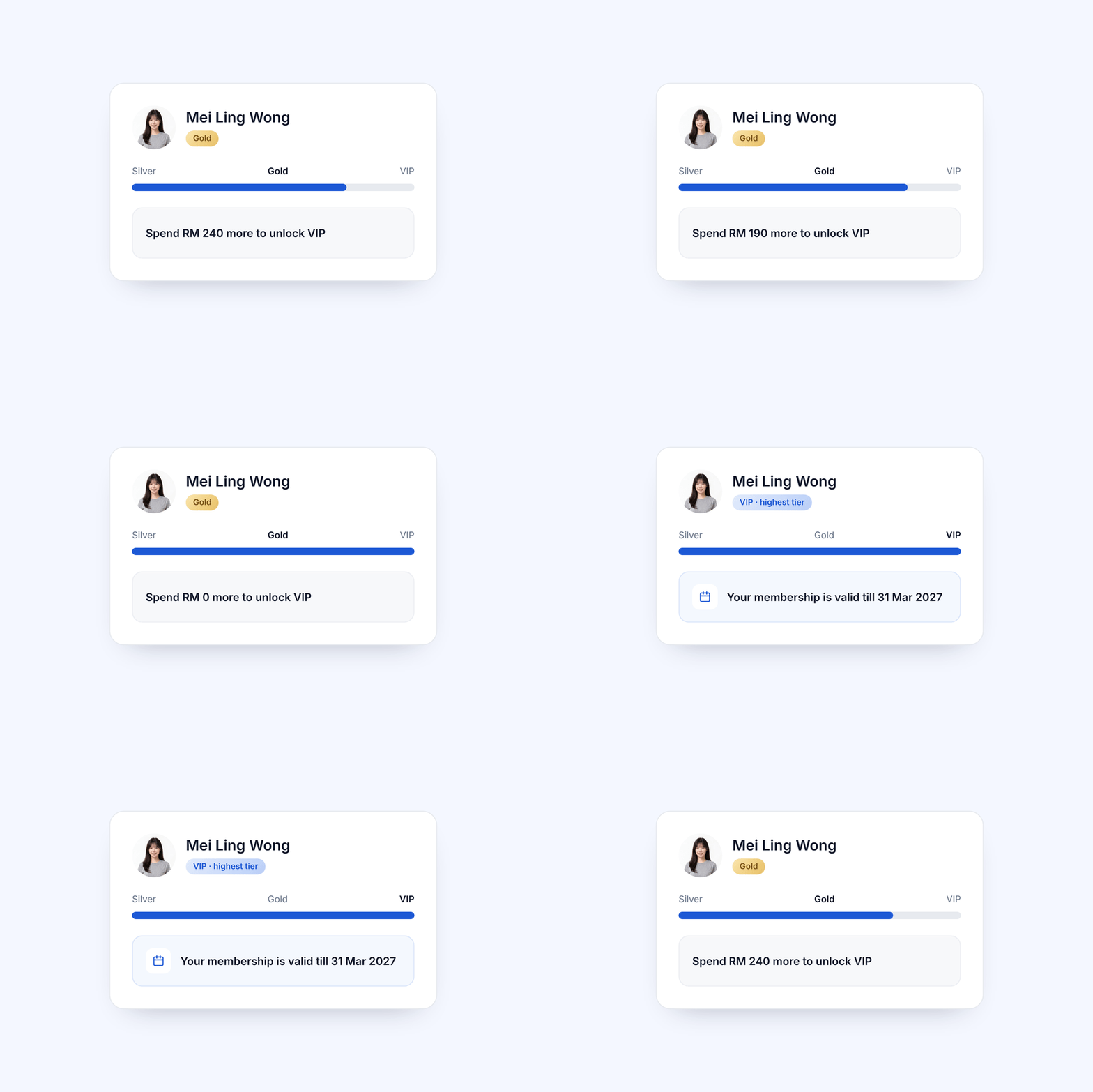
Motivate top-tier members to stay at the top. When customers reach your highest membership tier, their progress bar shows when their membership expires, so they know how long they have to keep their status.
5. See Stock Take Progress to Avoid Recounts
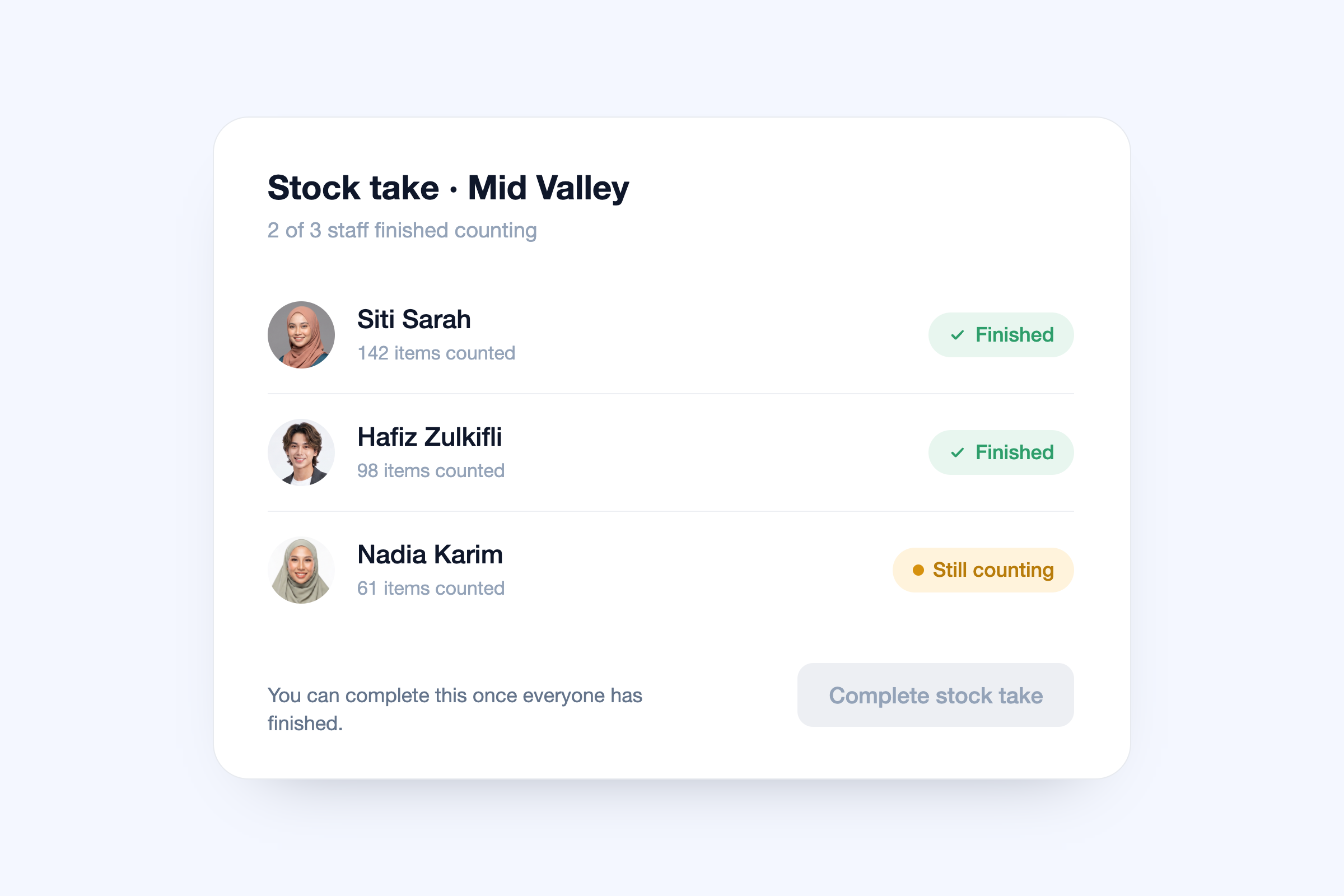
When several staff count stock together, see who's still counting before you close the stock take. It can't be completed until everyone has finished, so no count goes missing and nobody has to recount. The admin stock take page also lists everyone who counted.
Available on web; admin mobile app support comes in the next release. Start from Stock takes.
6. Keep Your Promotion on Screen with POS Secondary Display
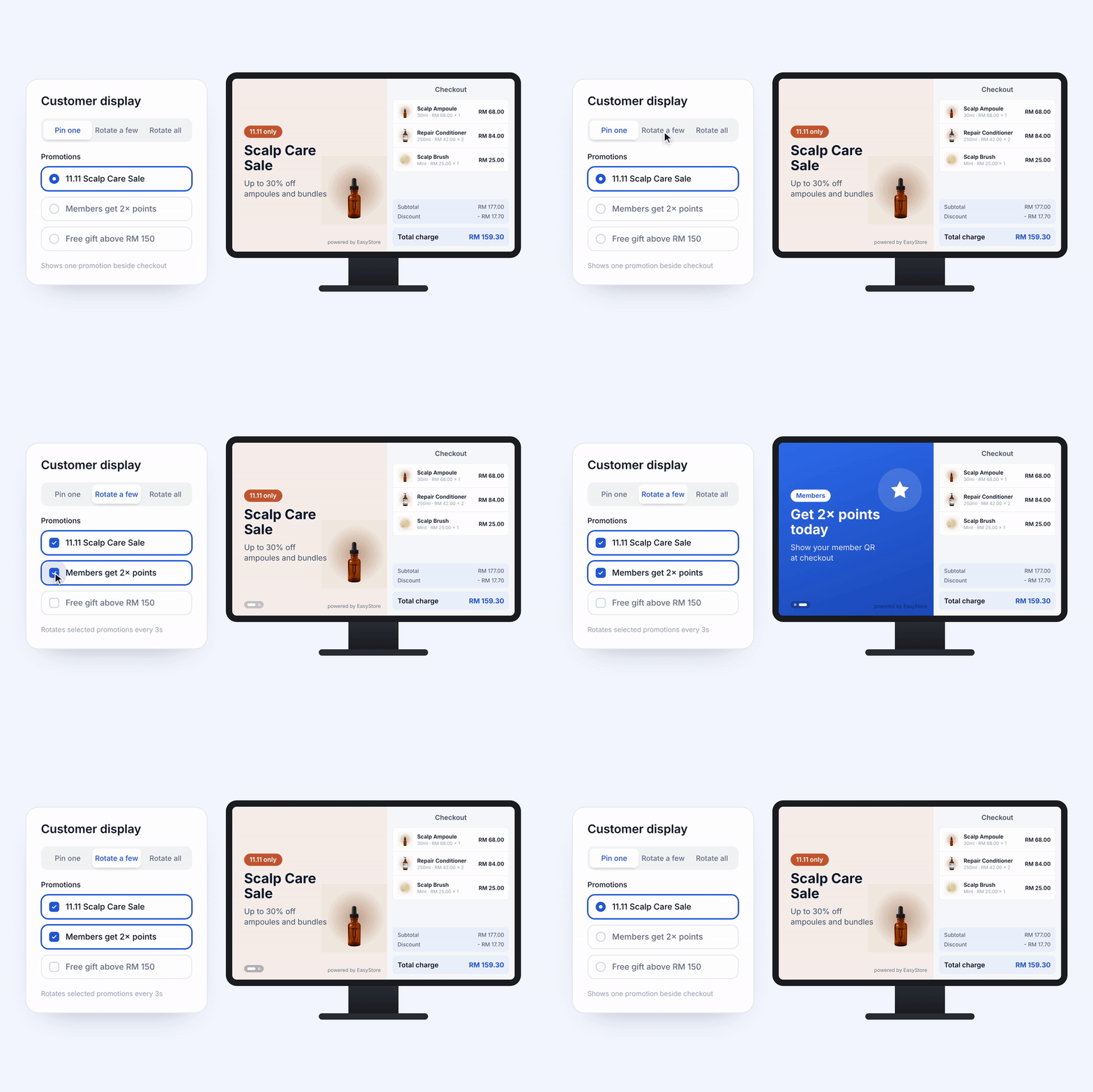
Put your best offer in front of customers at the counter. Choose exactly which promotions appear on your POS customer-facing screen: pin one, rotate a few, or rotate them all.
The selection is saved on each POS device. Start from your POS customer display settings.
7. Customise and Preview Sales Pop
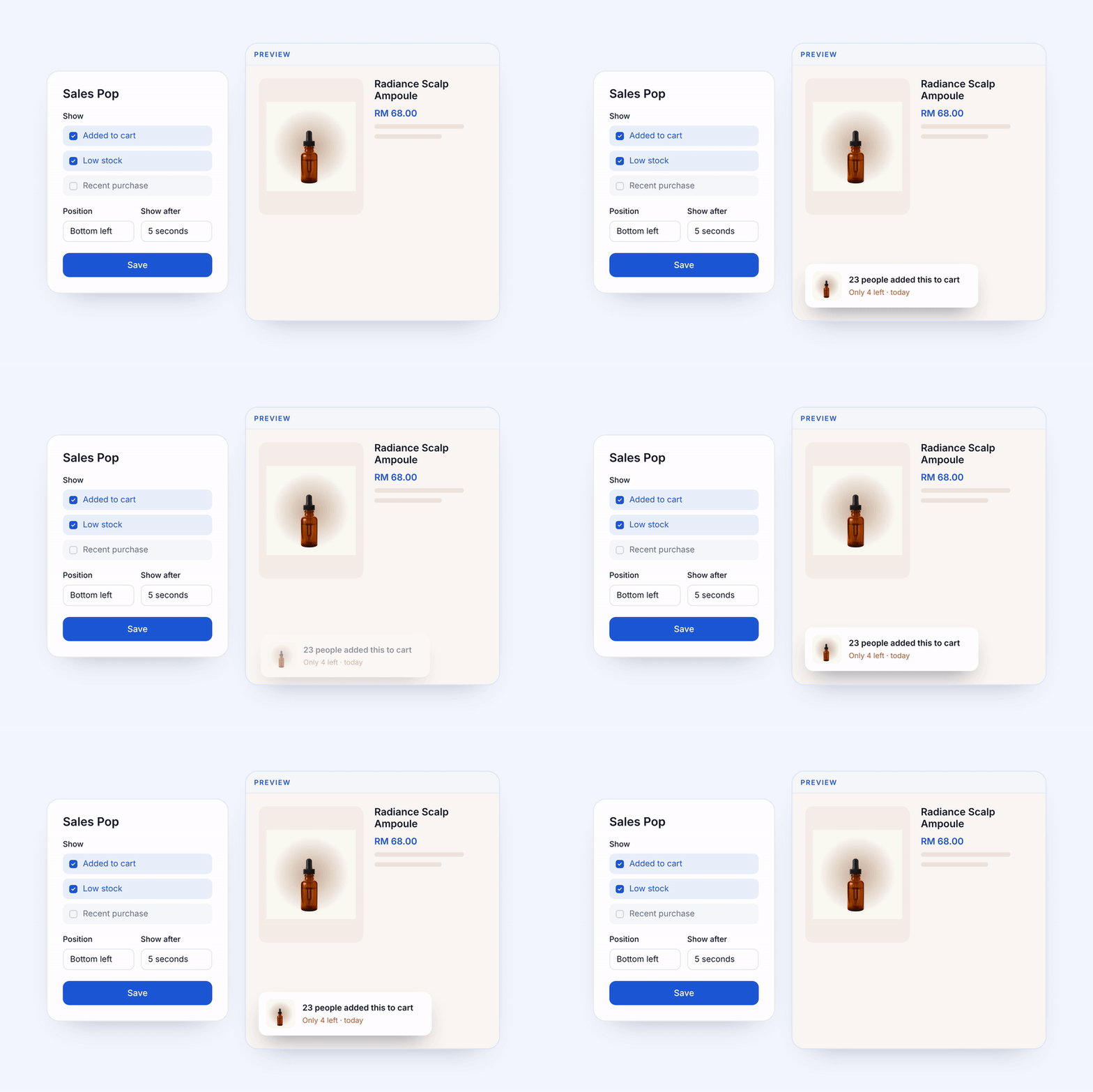
Let Sales Pop help turn browsers into buyers, with popups that show what others are doing in your store, such as how many times an item has been added to cart or how few are left.
Choose how your popups look and when they appear, and preview them before saving.
8. Choose Your Receipt Logo Setting for Printing
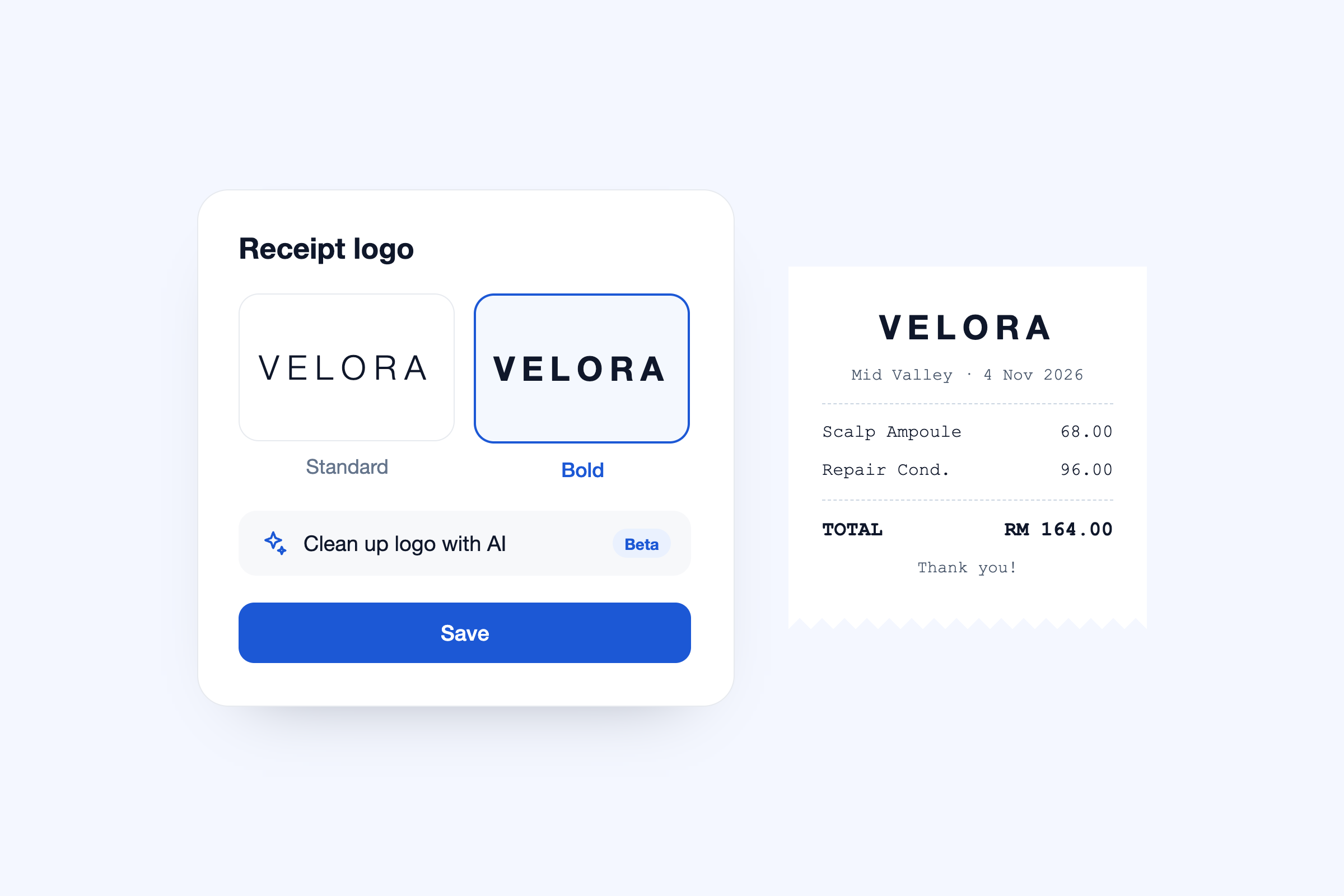
Get a sharp, readable logo on every thermal receipt. EasyStore creates black-and-white Standard and Bold versions trimmed to fit, and you can compare them in the receipt preview or let AI clean up your logo (Beta) before saving.
Available on web POS, with mobile app support from version 6.172.0. Open POS, then on your POS device go to Settings → Receipt Settings.
9. Process HitPay, Omise, RevPay and Midtrans Refunds
Refund HitPay, Omise, RevPay and Midtrans payments directly through the payment gateway.
Make Customers Love Buying from You
EasyStore empowers brands to prioritise customers and enhance their experience, creating a unified customer experience (UCX) that customers love.
Over 50,000 brands have grown their businesses with EasyStore across online stores, retail outlets, marketplaces, and social media, creating more consistent product and service experiences throughout the shopping journey.
Master Customer Experience in 2026 with our 3 Step Checklist
Customer expectations are on the rise in 2026. Use this checklist to learn 3 essential steps for improving customer interactions and staying ahead.
Download Now