What's New in EasyStore's Unified Inbox
By Emma · 10th July, 2026
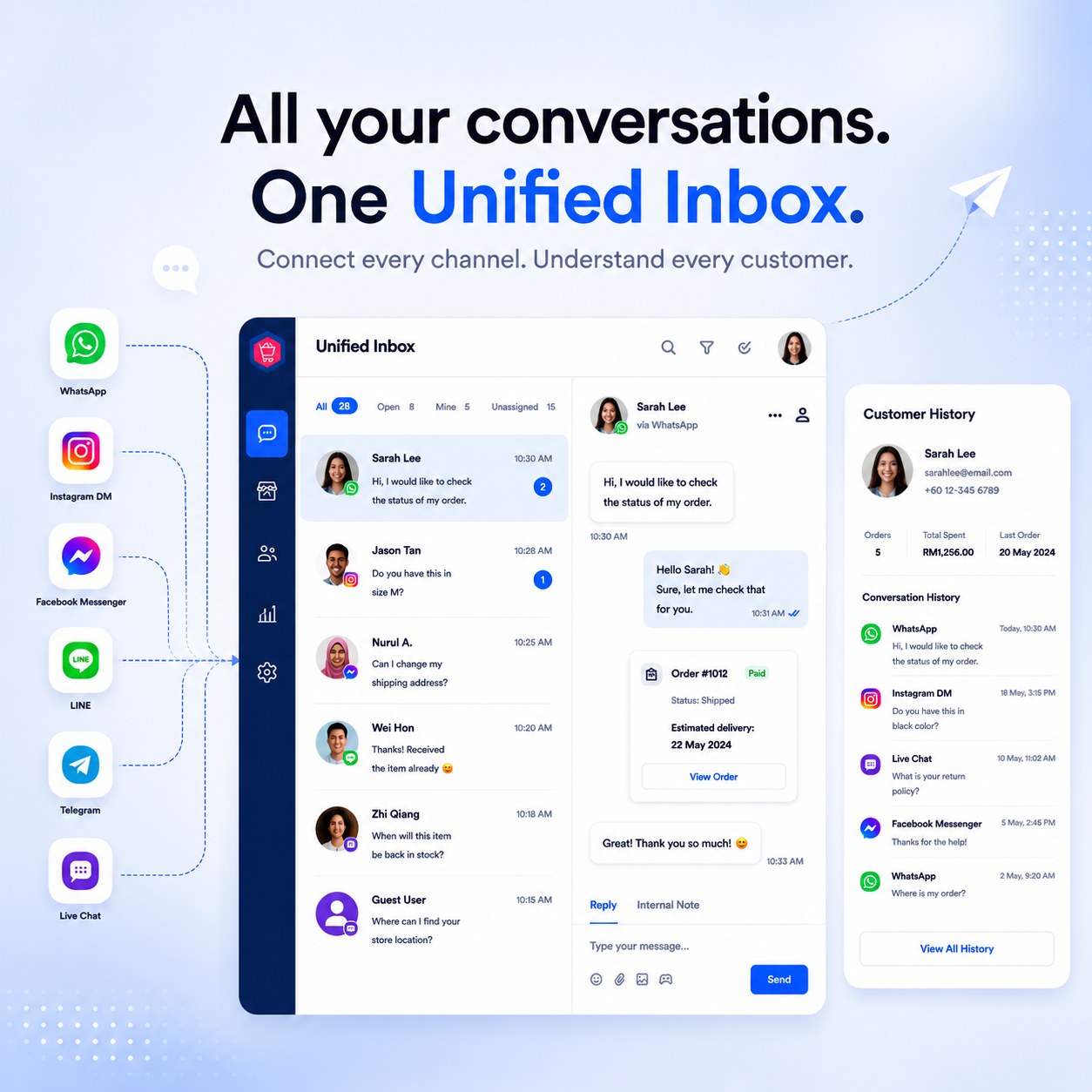
Table of Contents
Do you face this?
A customer messages on WhatsApp about a delayed order. Ten minutes later, the same customer follows up on Instagram because they think the first message got lost. Meanwhile, a teammate on the floor is fielding a Live Chat question about sizing, and nobody is quite sure who's already replied to who.
This is what growth looks like from inside the inbox. More channels, more staff, more conversations happening at once, and more chances for a message to sit unanswered simply because no one saw it land.
EasyStore's Unified Inbox brought WhatsApp, Messenger, Instagram, Telegram, LINE, and Live Chat into one place. This update is about what happens after a message arrives — making sure the right person notices it, owns it, and can act on it without losing context.
Never miss a message, on your terms
Every store has a different rhythm. Some teams want a sound the moment a message comes in. Others just want a quiet badge count.
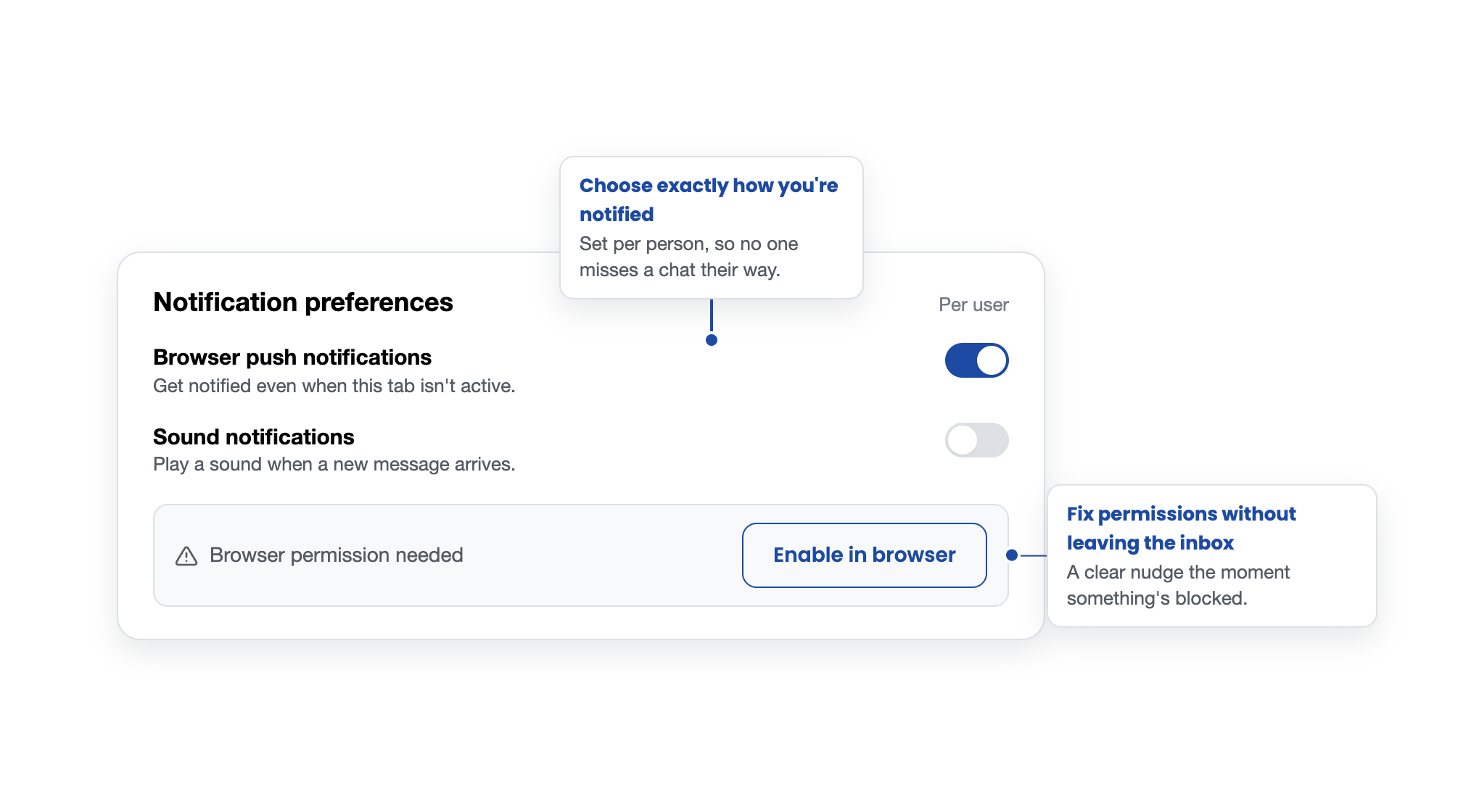
With the Notification preferences page (Messages > Inbox > Settings), each admin user sets this up for themselves, not store-wide, so one agent's alert setup never changes how the next person's inbox behaves.
- Browser push notifications — a desktop-level alert fires even if the Inbox tab isn't in focus, so a message doesn't wait for someone to remember to check.
- Sound notifications — an audible cue when something new arrives, useful for busy front-of-store setups.
Settings are scoped per user and stay aligned between web and mobile, so preferences follow the person, not the device.
Push notifications require browser permission. If it's been denied, the Inbox will flag it and walk the user through re-enabling it — no guessing why alerts went quiet.
Put a name on every conversation
An unassigned conversation is an easy one to lose track of.
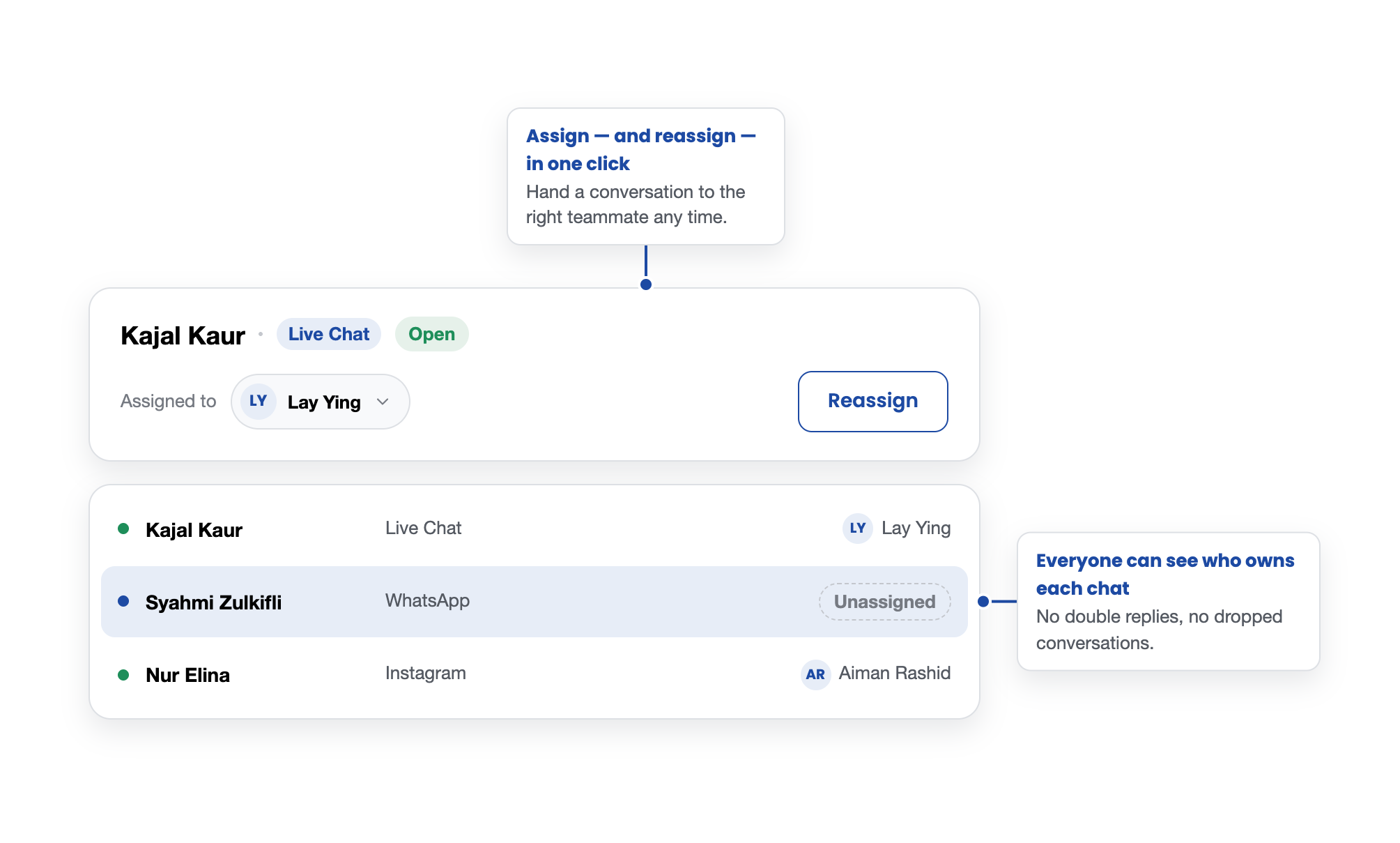
Any conversation can be assigned to a specific staff member directly from the chat header — one click, no switching screens.
That assignment shows up both in the chat header and in the conversation list, so anyone scanning the Inbox can see at a glance who's already on it.
Store owners can also control who's allowed to hand work off to others: a new permission decides whether a staff member can assign or reassign other people's conversations, or only manage their own.
It's a small setting that keeps ownership clear without adding a layer of admin overhead.
Start the conversation, don't wait for it
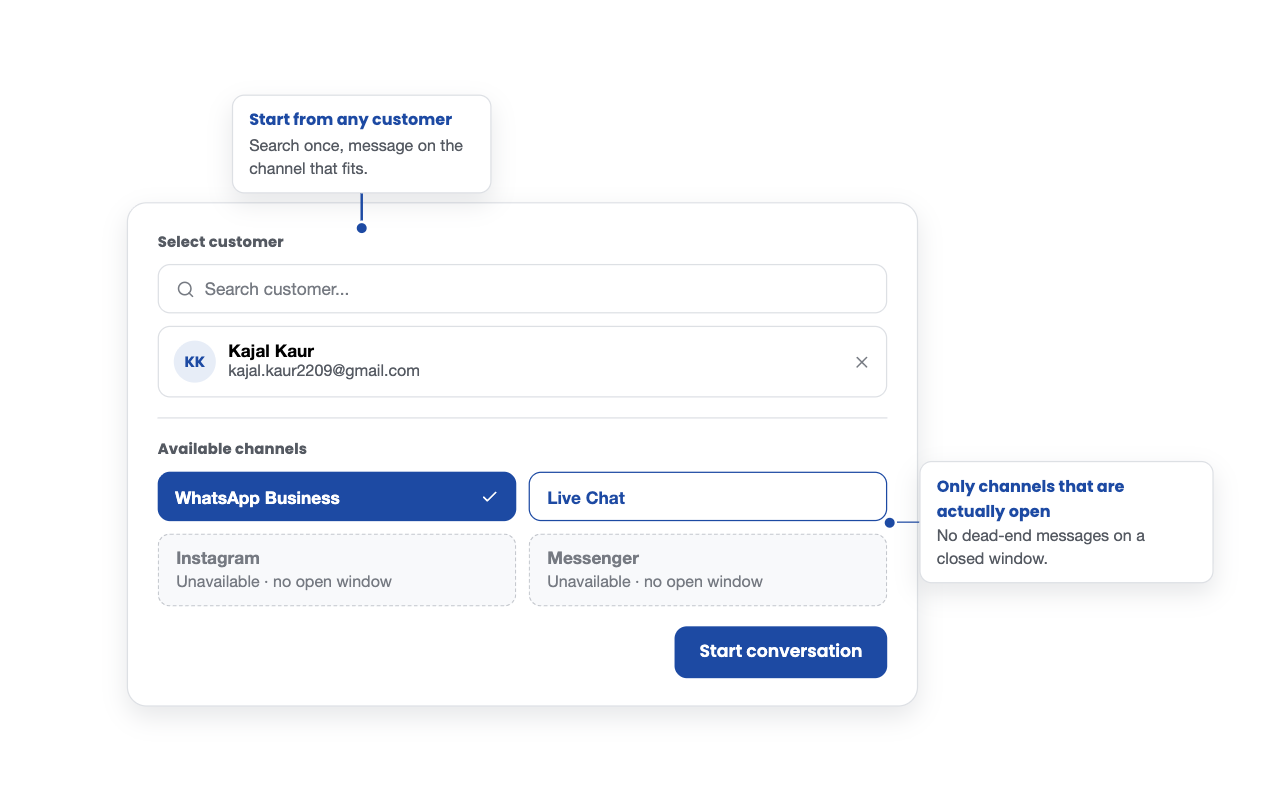
Sometimes the merchant needs to reach out first, following up on an order, checking in after a restock, closing a loop.
New conversations can be started directly from the Inbox for any customer reachable on Messenger, Instagram, WhatsApp Business, or Live Chat.
Pick the customer, and only the channels actually available to them show up, the system checks in real time whether that customer has an open messaging window (for Messenger and Instagram, this reflects the platform's own interaction rules). If a conversation already exists, we just take the user back into it instead of starting a duplicate thread.
And when a message gets read but not actually resolved, a common slip during a busy shift, it can be marked unread again. A simple way to keep something visible until it's genuinely handled, instead of relying on memory.
Find the conversation that matters, fast
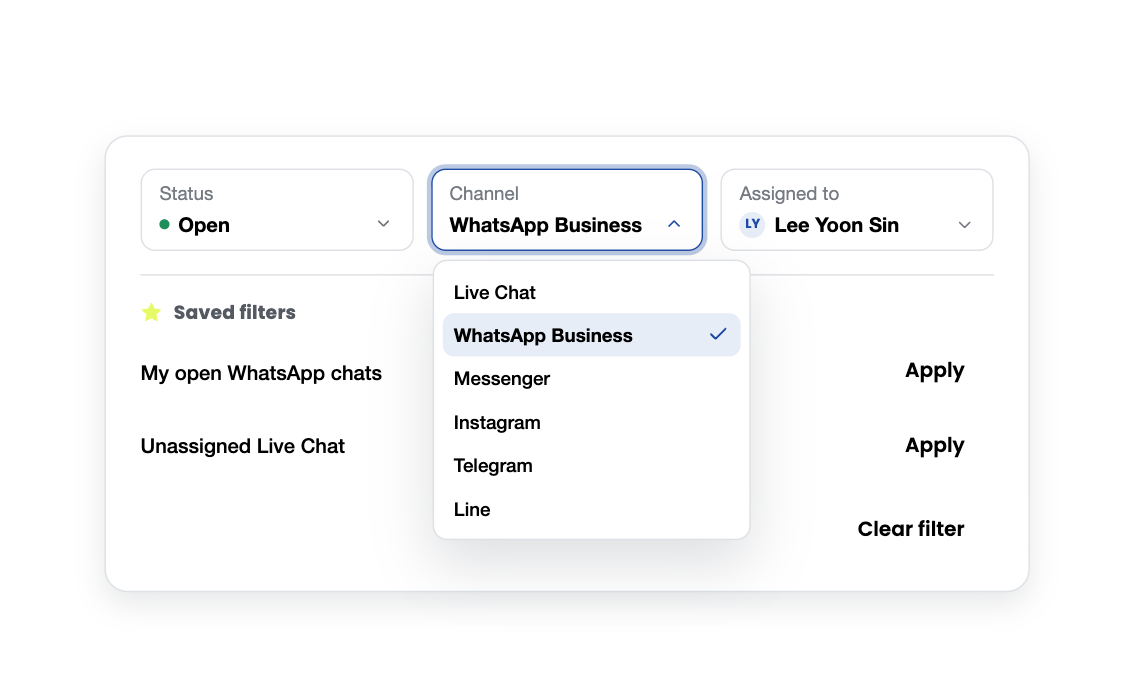
As message volume grows, scrolling through everything to find one thread stops being practical.
Conversations can now be filtered by status, channel, and assigned staff, and any combination that gets used often can be saved with a custom name for one-click access later, no need to rebuild the same filter every shift.
Keep the internal conversation internal
Not everything about a customer conversation belongs in the customer conversation.
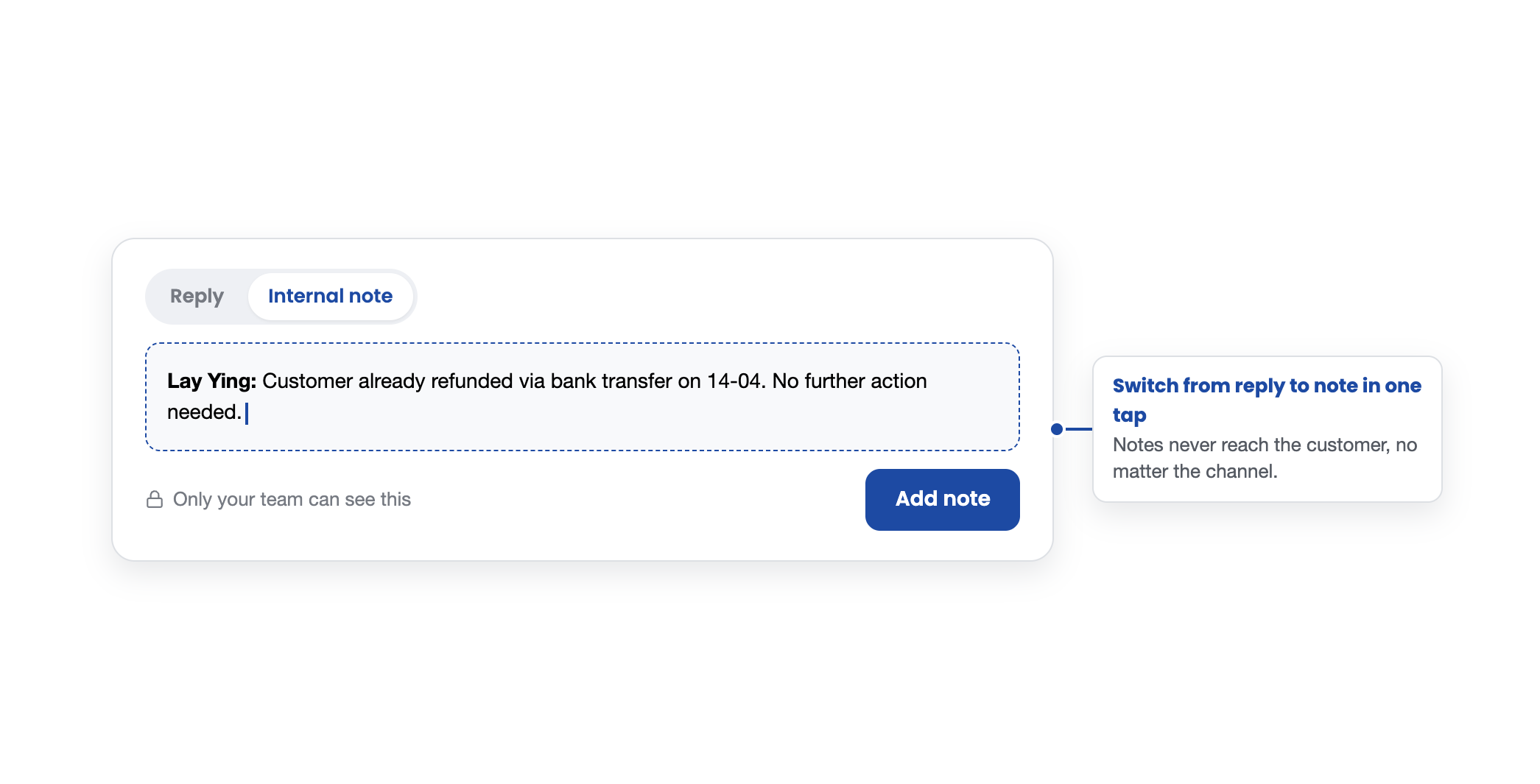
Internal notes let staff leave private, text-based notes on any Inbox thread — visible only to other merchants and staff, never to the customer.
Each note is automatically attributed to whoever wrote it, and updates sync in real time, so a note added by one teammate shows up instantly for the next person who opens the chat.
It's the difference between "someone mentioned this was already refunded" and actually having it written down where the next person will see it.
Why this matters beyond the inbox
None of these updates change what a customer sees. That's the point.
A shopper on WhatsApp still just gets a fast, clear answer. What changes is what happens behind that reply: the right staff member owns the thread, nothing gets missed because a notification never fired, and the next teammate who opens the conversation already knows what happened without having to ask around.
For a growing retail brand, that consistency is the actual product.
Customers don't experience "unified inbox" as a feature, they experience it as a store that always seems to remember them and never makes them repeat themselves. That's what an owned, unified channel is supposed to feel like on the inside.
Explore the Unified Inbox: https://www.easystore.co/unified-inbox
Wish to try out Unified Inbox?
Streamline all WhatsApp, Messenger, Instagram, Telegram and LINE chats through EasyStore Unified Inbox — manage every customer conversation from one place.
👉 Sign up for 14-day trialAlready have an account? Log in to try now