September 2026 Product Updates
By Kelie Wong · 16th September, 2026
Table of Contents
September 2026 Product Updates
September's product updates give you more control over fulfilment, reporting, stock replenishment, and customer targeting. Verify parcels before courier collection, customise order exports, add products to Purchase Orders in bulk, and build customer groups using more precise filters.
The release also introduces PayNow via Stripe for Singapore, alongside improvements to refunds, invoices, broadcasts, loyalty, and mall reporting.
New Releases
1. Courier Handover
Courier Handover helps prevent cancelled or duplicate orders from being handed to the courier, avoiding unnecessary deliveries and costs.
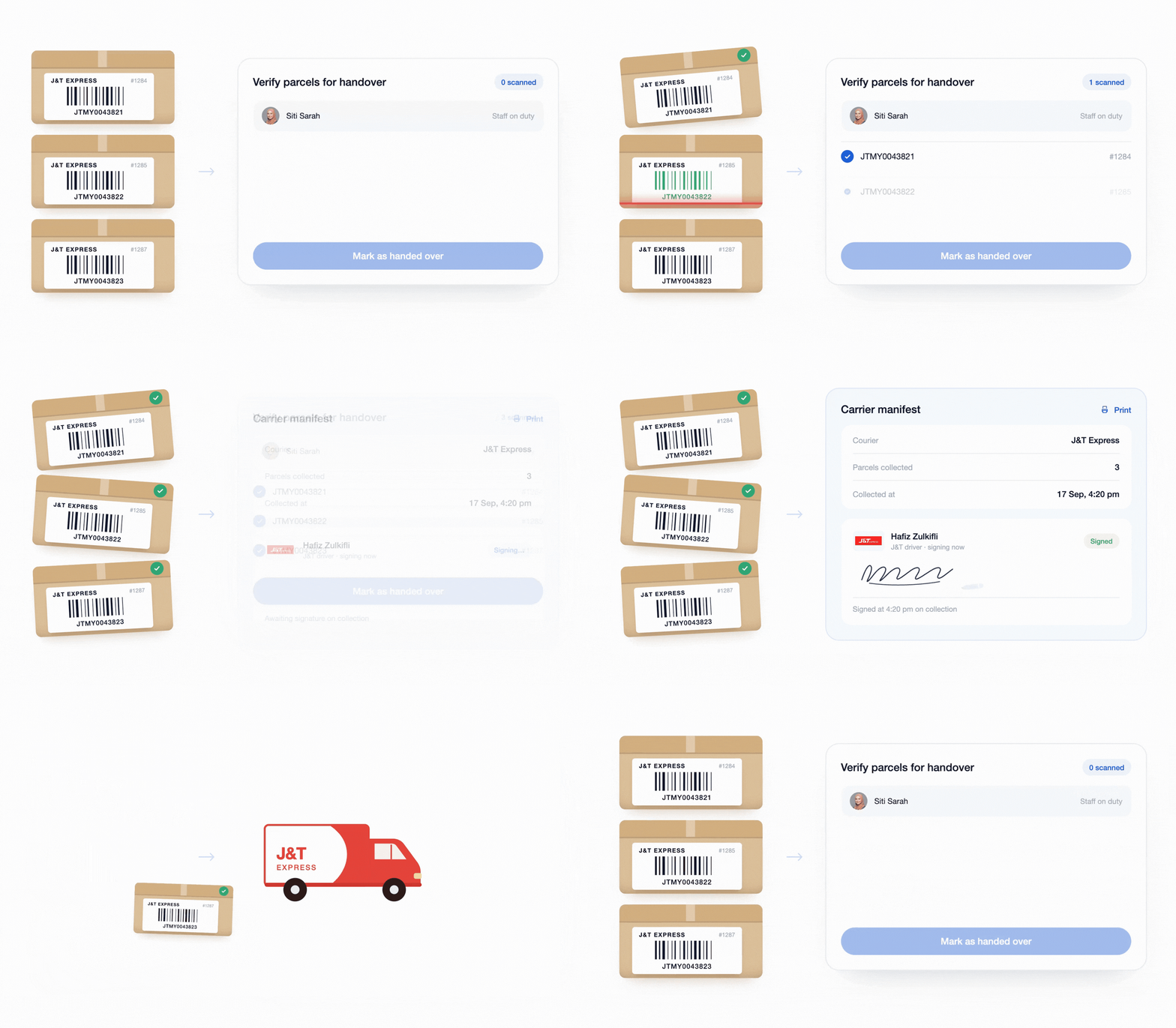
Before collection, your staff scan parcels for a final check. EasyStore flags parcels that should not leave and prevents duplicate scans. Once the handover is complete, you can print a Carrier Manifest for the courier to sign.
The result is a smoother fulfilment process: fewer delivery mistakes, better visibility over outgoing parcels, and a reliable handover record when the courier collects them.
Each handover supports up to 500 parcels and is available on the Business plan and above. Open Courier Handover.
2. More Flexibility on Points-to-Voucher Redemption
Give customers more reasons to collect points and return to shop by letting them exchange points for a favourite voucher more than once.
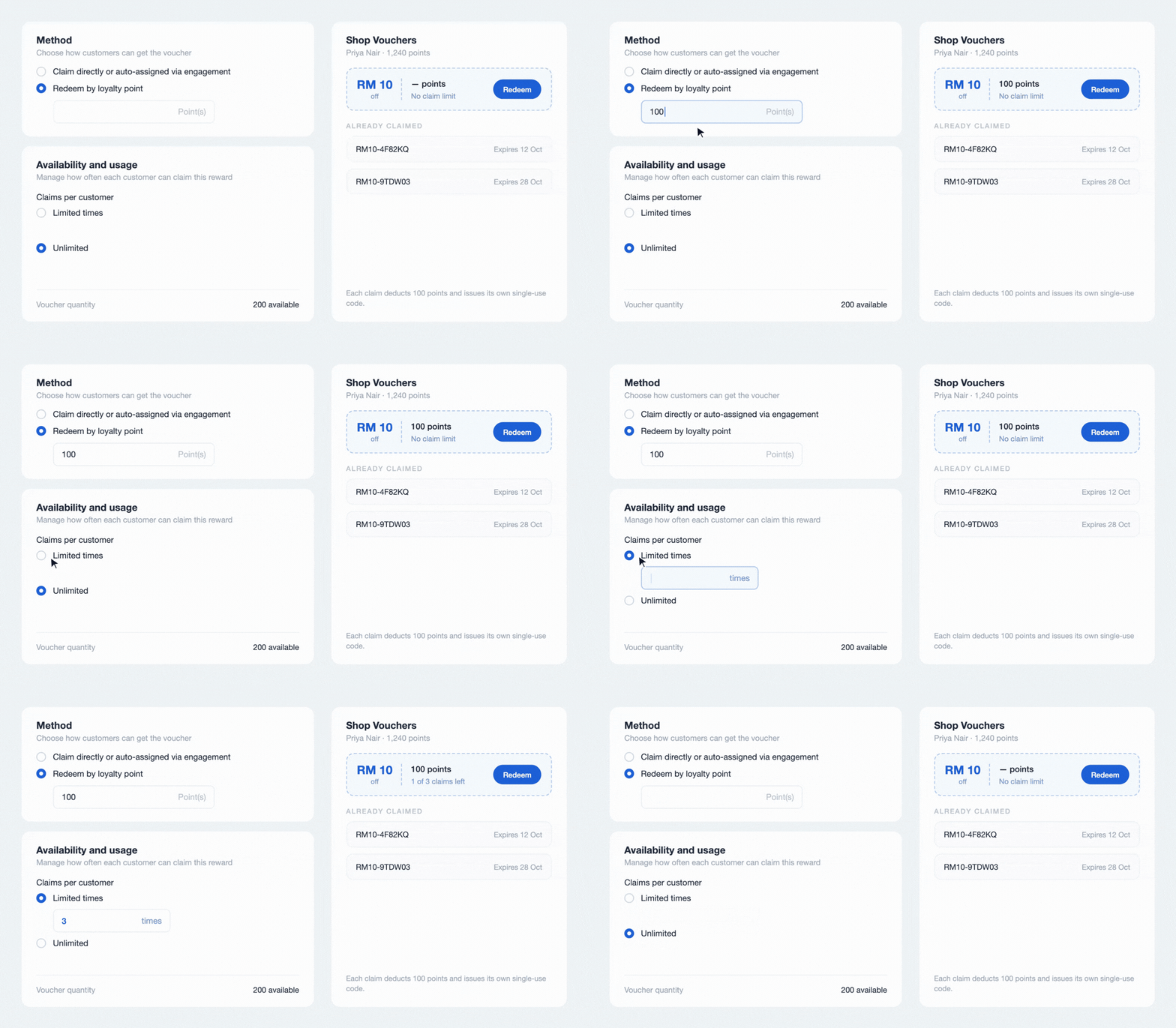
You can choose how many times each customer may redeem a points voucher or allow unlimited redemptions. This lets you offer a reward customers can work towards again, instead of one that disappears after a single claim.
Each redemption still uses the customer’s points, and the voucher’s overall quantity limit still applies. Existing vouchers keep their current one-redemption limit unless you change it.
Available on the Essential plan and above. To set a redemption limit, go to Discounts → Vouchers and create or edit a points voucher.
3. Customise Your Order Export Report
Advanced Order Export gives each team an order file built around the information it needs. Choose which order details to include and arrange the columns before downloading the file.
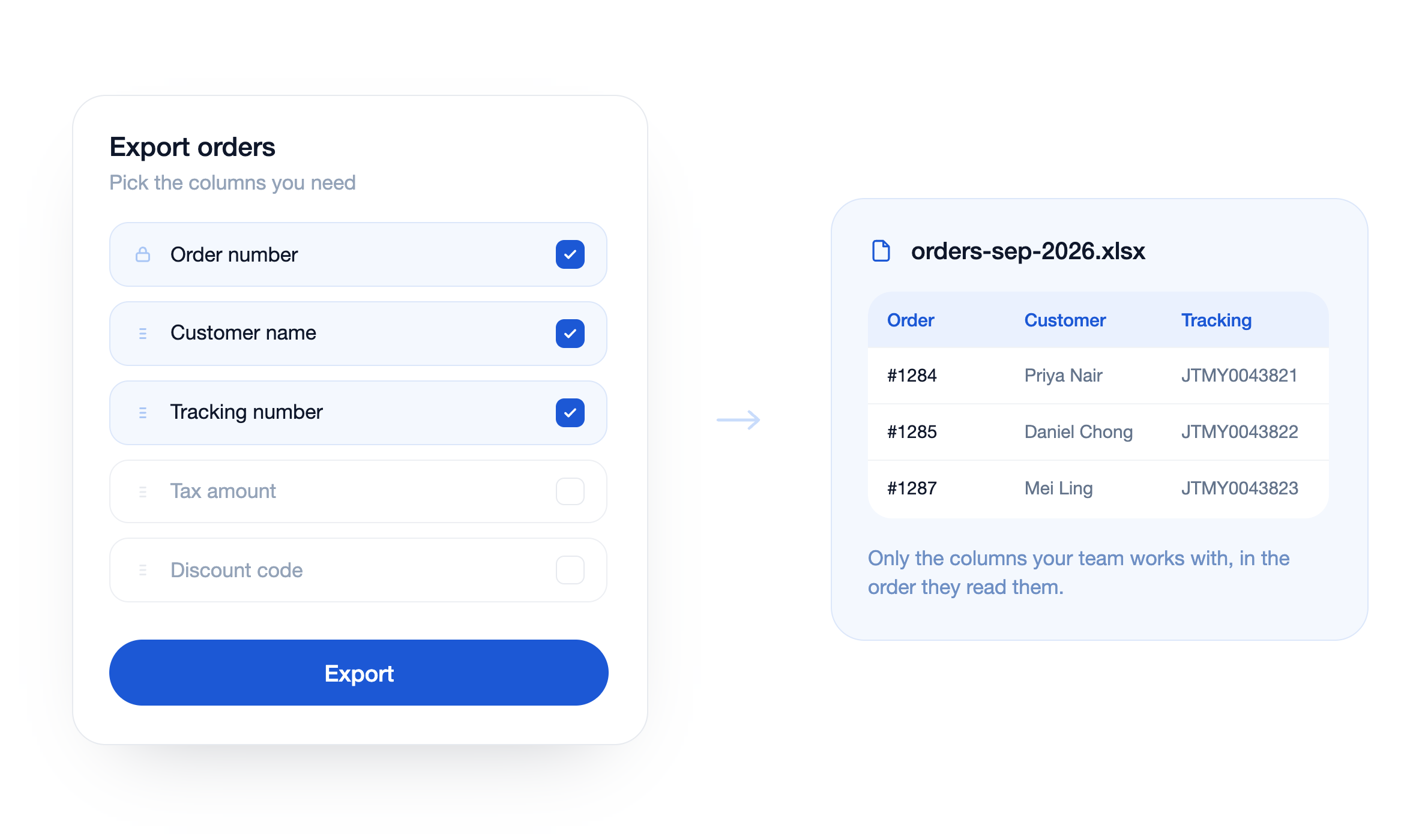
Finance, marketing, operations, and management can each prepare a structure that better fits their work, with less time spent removing or rearranging unnecessary columns.
To try it, go to Orders → Export → Advanced and choose the columns for your report.
4. Create A Custom Customer Filter
Customer Filters help your marketing team build more relevant campaign audiences without moving customer data into a separate spreadsheet.
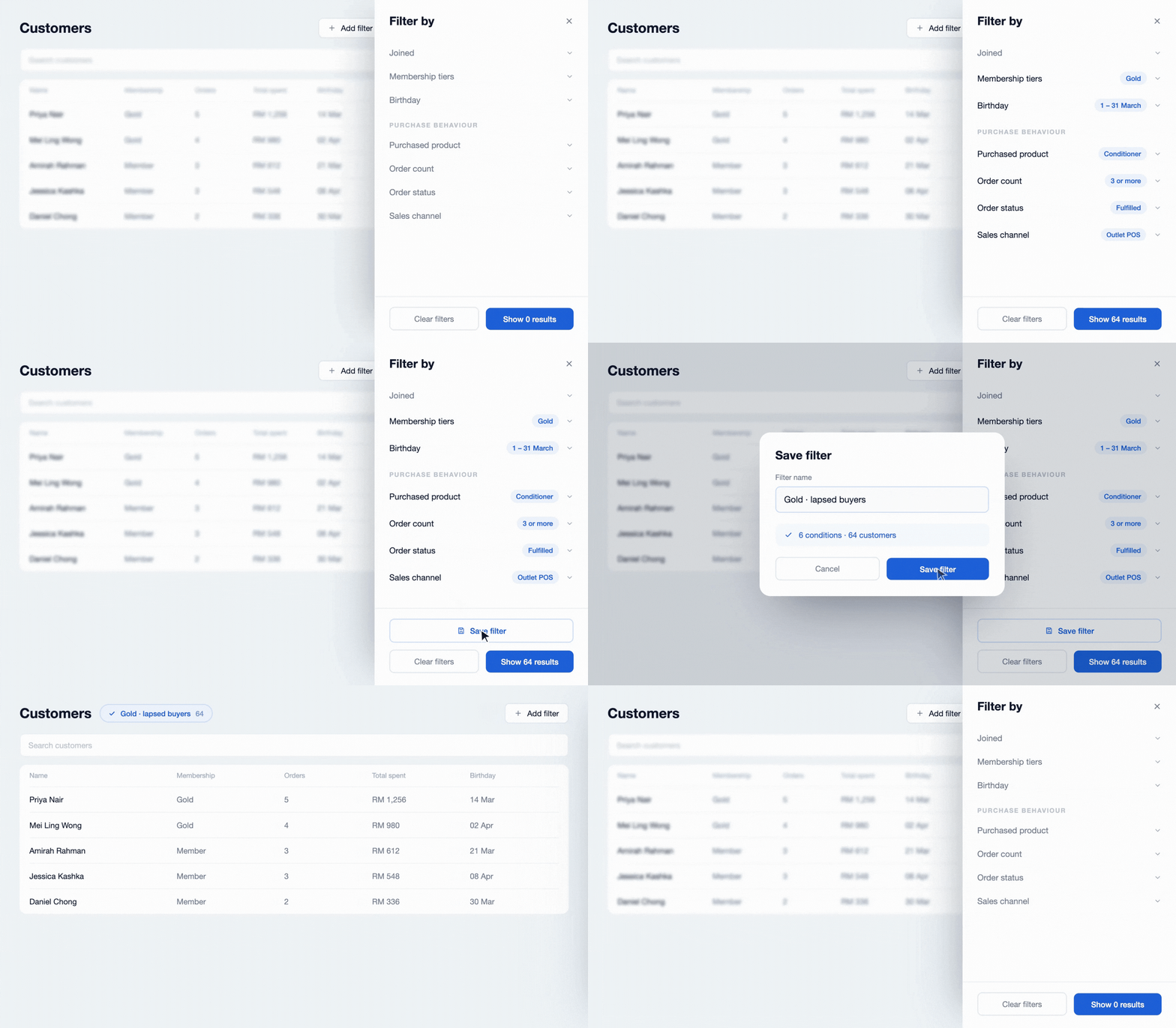
Narrow the customer list by birthday range, order status, order count, purchased or cart products and collections, and sales channel.
Combine the filters to prepare groups such as birthday-month customers, repeat buyers, people interested in a particular collection, or shoppers from one channel.
5. Sutera Mall Integration
The Sutera Mall Integration removes a recurring reporting task by sending eligible retail sales and transaction reports to the mall system automatically.
Sutera Mall tenants can continue processing outlet transactions through EasyStore while daily data uploads at 11:40 PM and transaction reports synchronise in the background.
The integration is available on the Growth plan and above. Connect the Sutera Mall Integration.
6. Let Singapore Customers Pay with PayNow via Stripe
PayNow via Stripe gives customers in Singapore a familiar way to pay for eligible SGD orders through your existing Stripe connection.
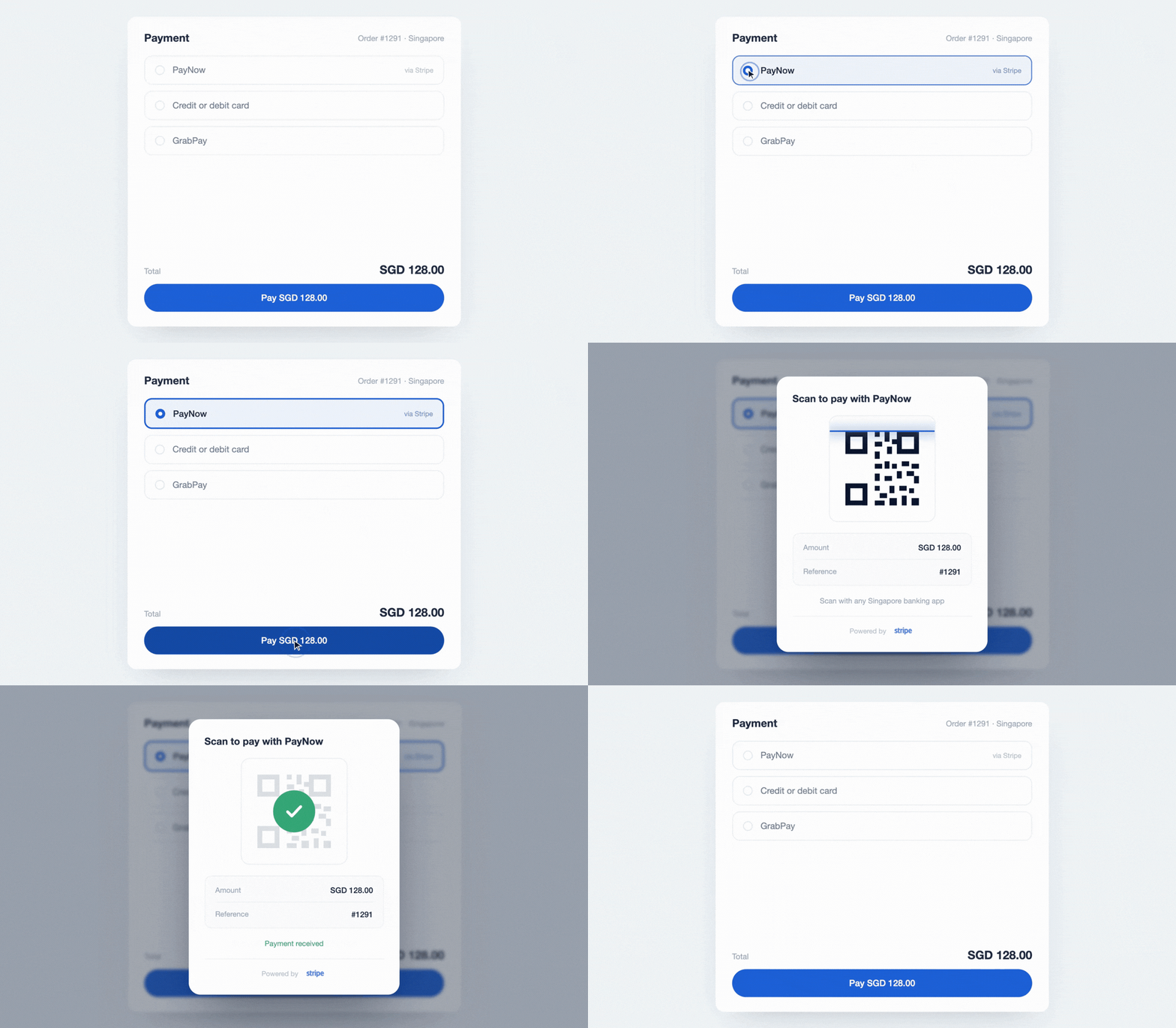 PayNow appears as an option at checkout, while you manage it through the Stripe gateway already connected to EasyStore—without setting up a separate gateway integration.
Enable PayNow under Settings → Payments → Stripe. Refunds for PayNow payments must currently be processed manually because gateway refunds are not supported for this sub-gateway.
Enhancements
1. Bulk Add Products to a Purchase Order via CSV or Excel
Bulk Add Products lets you add multiple existing products and variants to a Purchase Order using a CSV or Excel file, helping your business prepare large restocks faster.
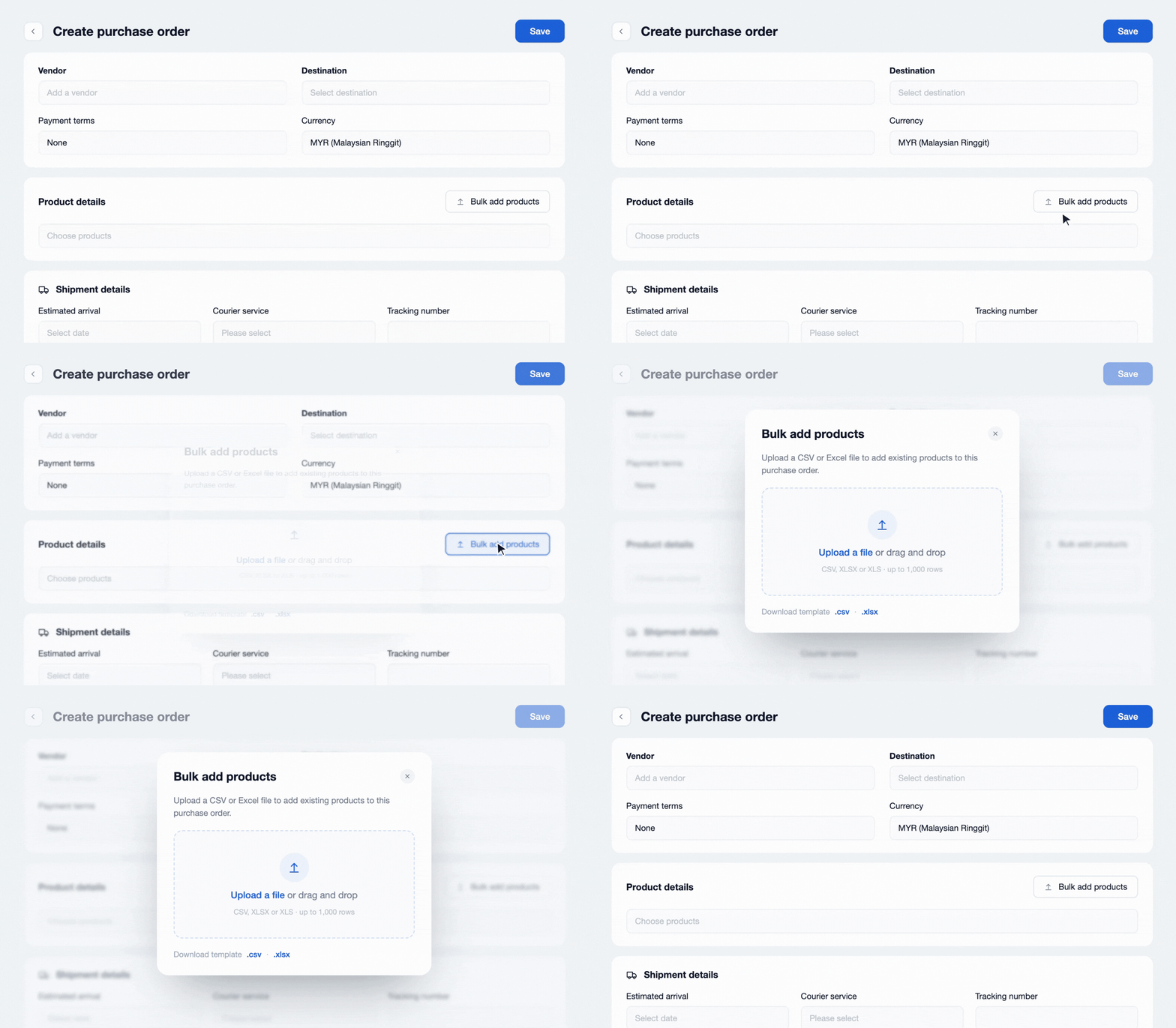
Products must already exist in your catalogue so they can be matched. Start from Products → Purchase Orders and select Import Products within the Purchase Order.
2. Customers Receive a PDF Copy with Their Invoice Email
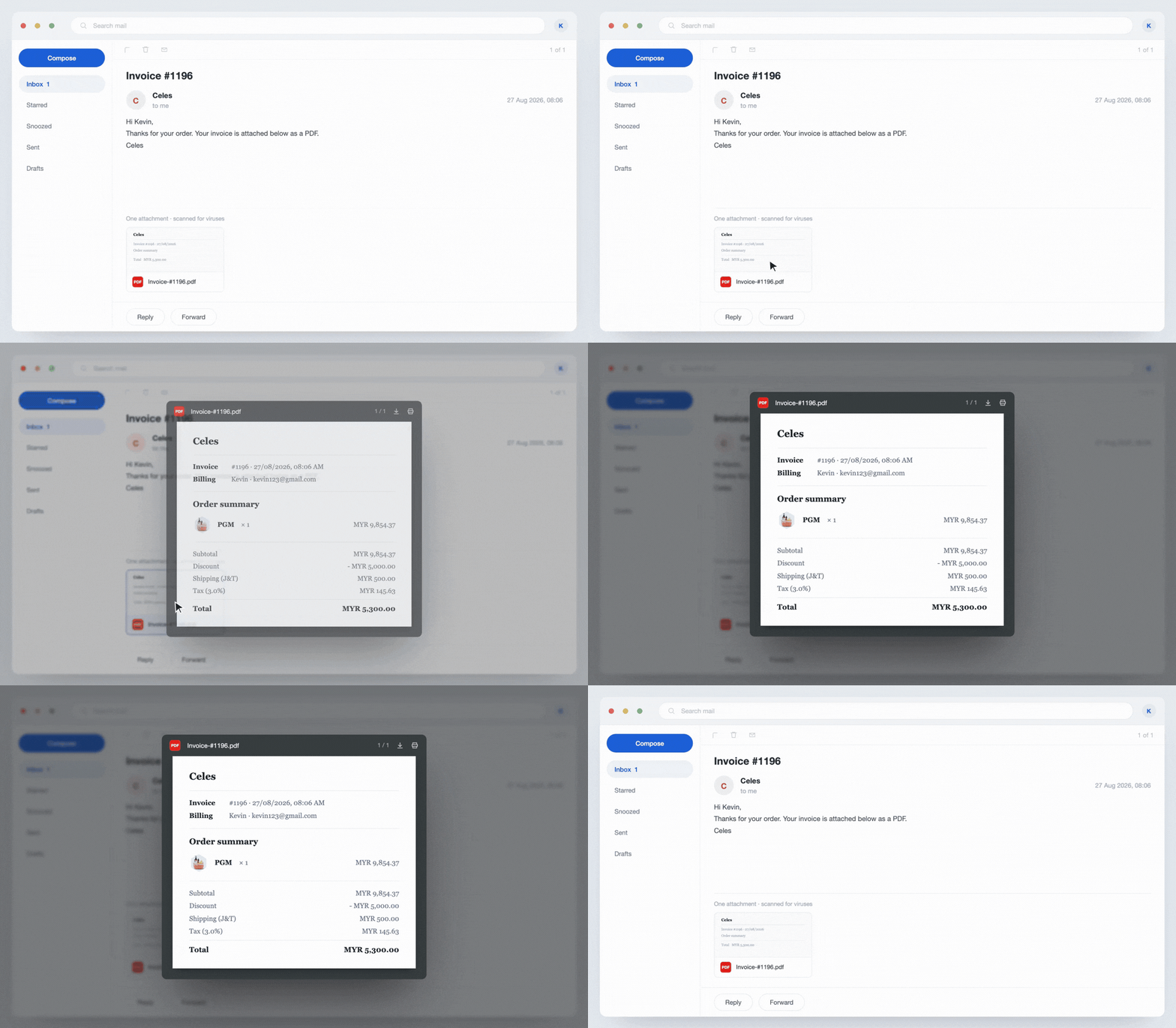
Invoice emails now include a PDF copy of the invoice. Customers can save it for their records, forward it to their accounts team, or submit it for an expense claim, directly from their inbox.
3. Process Braintree Refunds
Braintree gateway refund support keeps eligible refund processing within the EasyStore order.
The transaction reference and amount are pre-filled, while customer notification and loyalty-point clawback can be handled in the same step.
This applies only to payments captured through Braintree. Open the order and choose "Payment gateway refund" to begin.
4. Edit a Draft Broadcast Before Sending
Broadcast Center draft editing gives your team room to review and refine a campaign before it is sent. Reopen the saved draft to correct a detail or revise the offer in the familiar editor, then save it again or send it when ready. Broadcasts that have already been sent cannot be edited.
Make Customers Love Buying from You
EasyStore empowers brands to prioritise customers and enhance their experience, creating a unified customer experience (UCX) that customers love.
Over 50,000 brands have grown their businesses with EasyStore across online stores, retail outlets, marketplaces, and social media, creating more consistent product and service experiences throughout the shopping journey.
Master Customer Experience in 2026 with our 3 Step Checklist
Customer expectations are on the rise in 2026. Use this checklist to learn 3 essential steps for improving customer interactions and staying ahead.
Download Now